
The ERP permission problem nobody talks about until it costs them
The moment ERP starts feeling messy
The ERP is live. Teams are logging in. Sales is using it. Operations is using it. Finance is using it. Management likes the visibility. The implementation feels like a win.
Then the small stuff starts happening.
- Someone sees menus they should never need.
- Someone edits a field they were only supposed to view.
- Someone exports data because the option was sitting right there.
- Someone clicks into a linked record and lands somewhere they were never meant to be.
- Someone from one company ends up seeing screens meant for another.
- Someone opens a technical setting and now the admin team has a new headache.
And that’s when the real issue shows up.
Not because the business chose the wrong platform. But because access was too broad, too loose and too easy to overlook.
That’s the part many businesses don’t think deeply about during ERP evaluation or even during implementation.
The excitement usually sits around features, dashboards, modules, automation, reports, integrations and scale. Permissions get treated like background settings. Important, sure. But secondary.
They are not secondary anymore.
In growing businesses, access control has quietly become one of the most important parts of a healthy ERP setup. Not the flashy part. Not the part that gets shown in demo headlines. But absolutely one of the parts that decides whether the system stays clean, secure and manageable as more users, departments and companies come into the picture.
Because once more people start using the same ERP, the question changes.
It stops being, “Can the system do this?”
And starts becoming, “Who exactly should be allowed to do this?”
That is where things get serious.
Why access control has become a serious business issue
There was a time when permission management felt like an IT-side detail.
Now it is an operations issue, a governance issue, a usability issue and in many cases, a revenue protection issue too.
Businesses are running leaner teams.
More departments depend on shared systems. Decision-making is increasingly data-driven. Multi-entity structures are becoming more common. People need quick access, but not unlimited access. And when systems become central to the business, loose control starts creating friction in places people did not expect.
- A sales rep does not need to see every administrative path.
- A warehouse user does not need accounting complexity.
- A junior employee should not be able to delete critical records.
- A team lead may need visibility without edit rights.
- A temporary consultant may need time-bound access.
- A multi-company business may need strict boundaries between one entity and another.
This is exactly where ERP starts getting judged differently.
Not just by how much it can do, but by how well it can stay structured while doing it.
And that’s what makes access control such a big conversation right now. Businesses want systems that feel powerful without feeling risky. Flexible without becoming chaotic. Easy to use without becoming too open.
That balance matters a lot more than most teams realize at the start.
What goes wrong when permissions are too broad
The damage from poor access control usually doesn’t arrive with drama.
It creeps in.
A form gets edited incorrectly.
Sensitive information becomes too visible.
Reports lose consistency because filters and favorites are being changed freely.
Users get distracted by irrelevant menus and options.
Chatter visibility creates unnecessary exposure.
Exports happen without proper oversight.
Technical screens become accessible to people who should never be near them.
None of this feels huge in isolation.
But stack enough of those moments together, and the ERP starts feeling heavier than it should. Users get confused. Admins spend more time correcting avoidable issues. Process discipline weakens. Internal trust drops. Teams start saying the system is “too complex” when the real issue is usually that too much has been left open.
That’s the trap.
A system meant to bring order can start creating noise when permission design is too generic.
And once that happens, adoption suffers.
Because people do not enjoy working in systems that expose them to too much. They want clarity. They want relevance. They want screens that feel like they were built for the job they actually do.
That is what smart access management helps create.
Why growing ERP environments need more than basic access rights
Basic access settings can work for simple environments.
But the moment the business grows, the cracks start showing.
More roles get added.
Processes become more layered.
Teams need different levels of visibility.
Sensitive data needs tighter control.
Multiple companies may start operating in the same database.
Departments want cleaner workflows, not one-size-fits-all screens.
That is when basic permission handling often starts to feel too blunt.
What businesses really need at that stage is not just access rights. They need access design.
That means thinking beyond whether someone is simply allowed into a module. It means deciding what they should actually experience once they are inside.
- Should they see this menu?
- Should they access this view?
- Should they edit this field?
- Should they click this button?
- Should they export this data?
- Should they even see this conversation thread?
- Should this restriction apply across one company or all companies?
- Should the access expire after a certain date?
Those are not edge-case questions anymore.
They are normal business questions in modern ERP environments.
And answering them well is what separates a system that feels controlled from one that feels exposed.
What modern teams actually need from access control
The old idea of access control was simple : give or deny access.
The modern expectation is much smarter than that.
Businesses want access control to help them :
- Reduce user confusion
- Prevent accidental actions
- Protect sensitive records
- Simplify interfaces for different roles
- Manage permissions without constant admin firefighting
- Support multi-company governance
- Keep data handling more disciplined
- Create more confidence across teams
In other words, they do not just want restrictions.
They want relevance.
They want each user to interact with Odoo in a way that feels cleaner, more focused and more aligned to their actual responsibility.
That is the sweet spot.
Because the best access control does not make the system feel smaller. It makes the system feel smarter.
A smarter way to manage permissions in Odoo
This is exactly where the Access Management app comes in.
The app is built to help businesses control who can do what in Odoo in a much more practical and structured way. Instead of relying only on broad access settings, it gives teams more granular control over what users can see, access, create, edit, modify, export or interact with across the system.
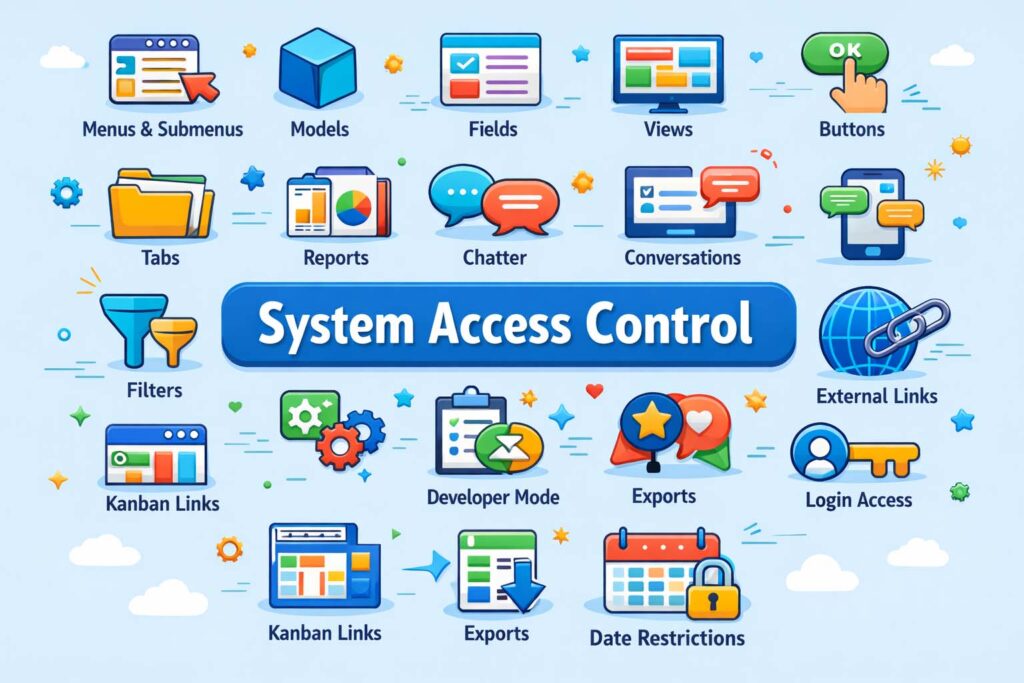
It also supports multi-company configuration, group-level access control and multi-language support, which makes it especially useful for organizations managing different structures, teams and working environments inside a single Odoo setup.
What makes this valuable is not just the number of controls.
It is the way those controls solve real everyday problems.
This is not about adding complexity. It is about removing unnecessary exposure and giving businesses a more thoughtful way to shape the Odoo experience role by role.
Key capabilities that make day-to-day control easier
Let’s get into what makes the app genuinely useful in real working environments.
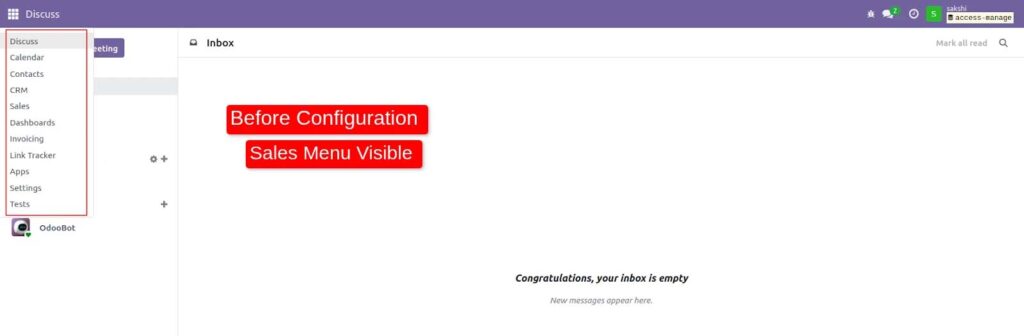
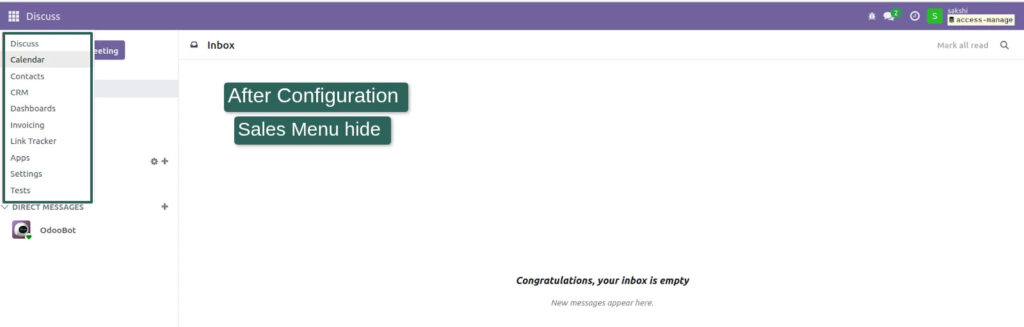
1. Menu and submenu restrictions
One of the quickest ways to make Odoo feel cleaner is to hide what a user does not need. When menus and submenus are controlled properly, users stop wandering through irrelevant parts of the system and stay focused on the tasks that matter.
2. View-level restrictions
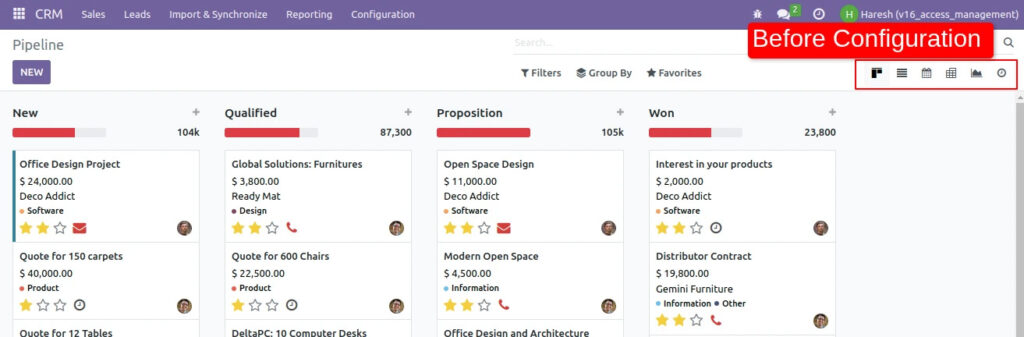
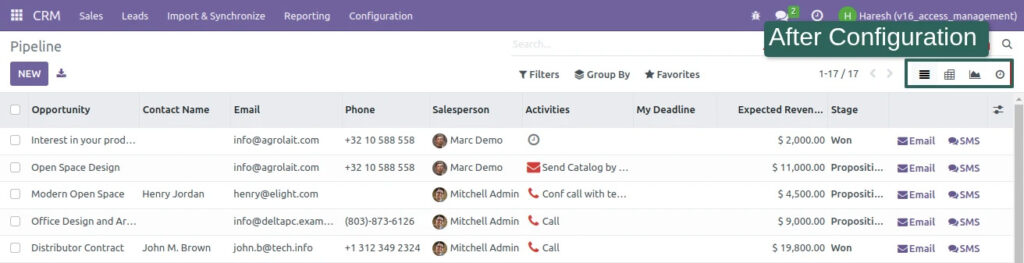
Not every team needs every view. Some users may work best in list views, while others do not need Kanban or Form access at all. Restricting views helps simplify interaction and reduce unnecessary options.
3. Button and tab access control
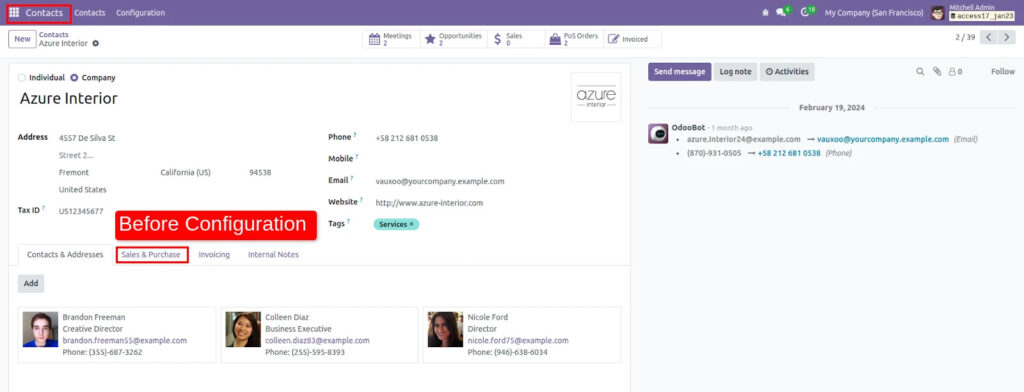
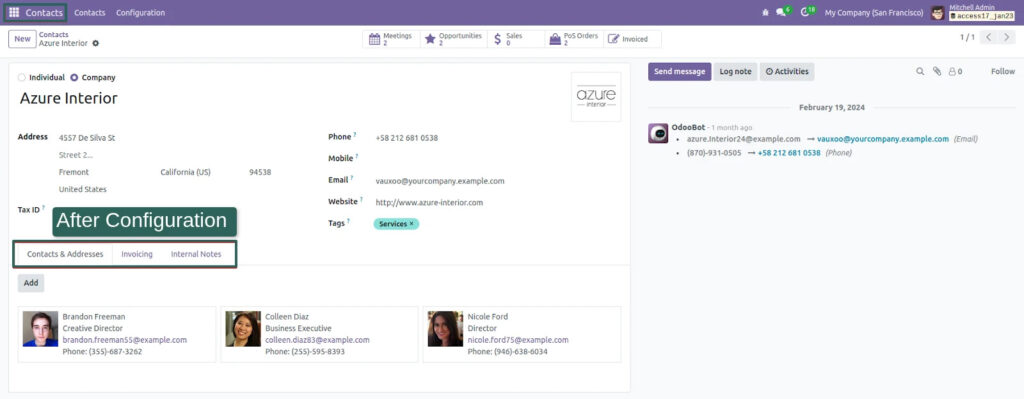
Buttons often drive action. Tabs often expose extra layers of information. Hiding specific buttons or tabs can prevent unintended actions without disrupting the full workflow for authorized users.
4. Model-level access rights
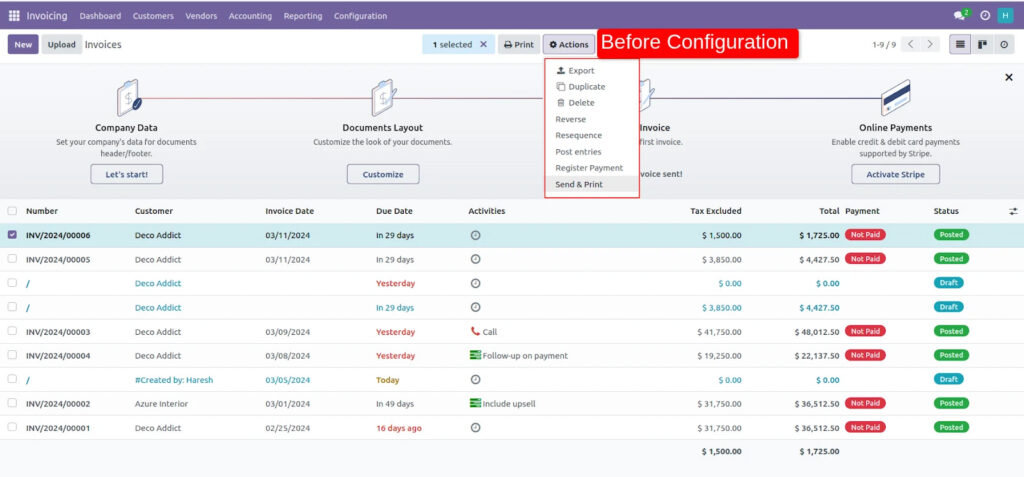
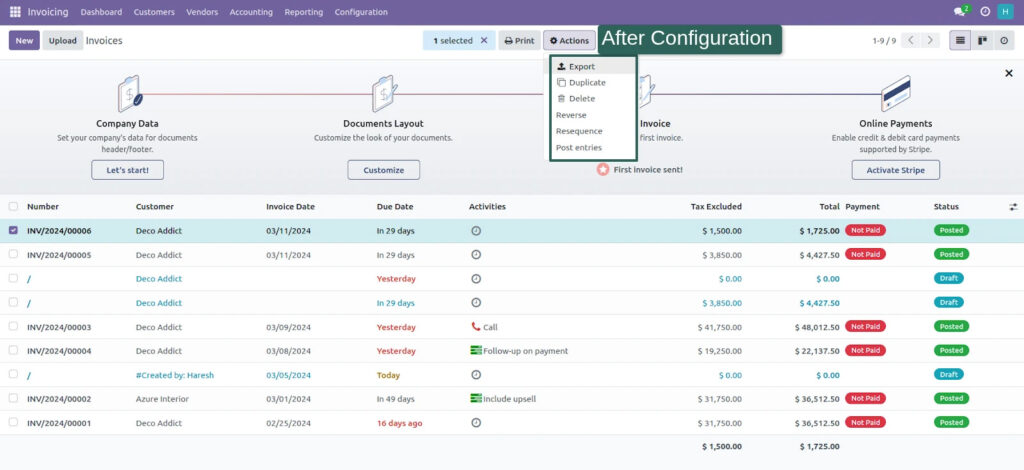
This is where governance gets stronger. The app helps control actions like create, delete, duplicate, export, archive, reports and more at model level, helping businesses bring more structure to critical operations.
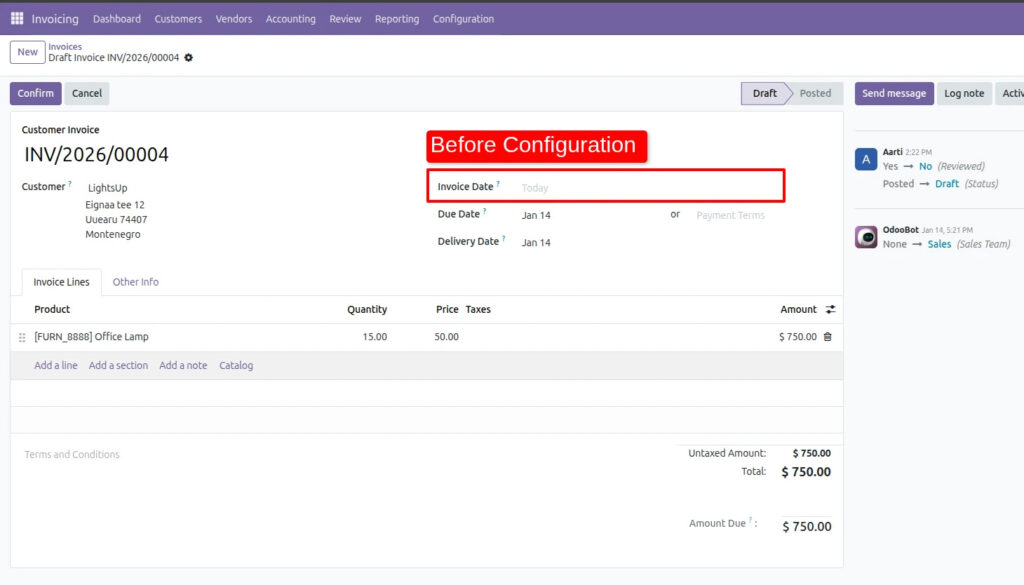
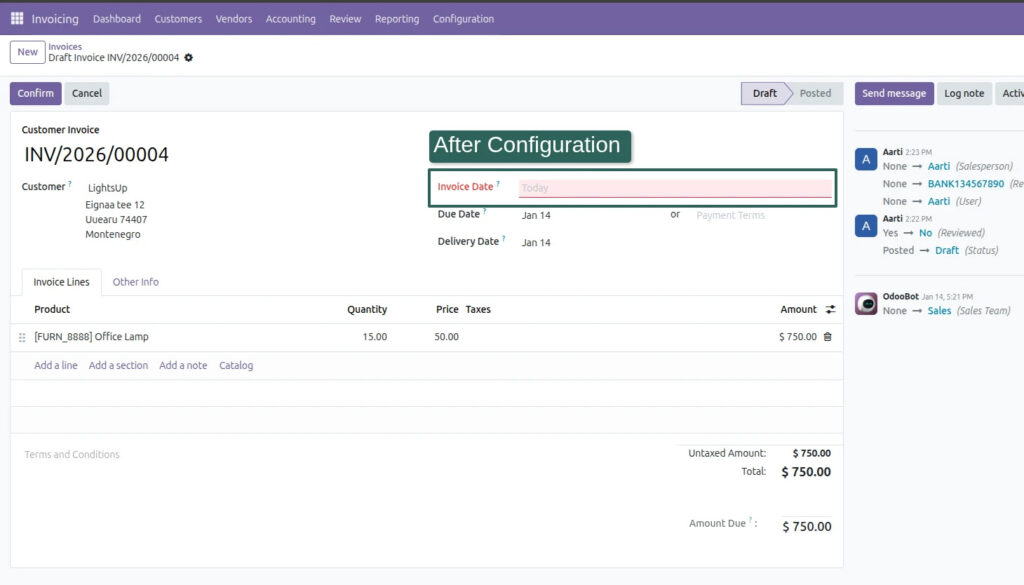
5. Field-level access rights
Some fields should be read-only. Some should be required. Some should be invisible to specific users. Some should not allow create or edit behavior through linked records. The app gives that level of control, which is extremely valuable for both usability and data quality.
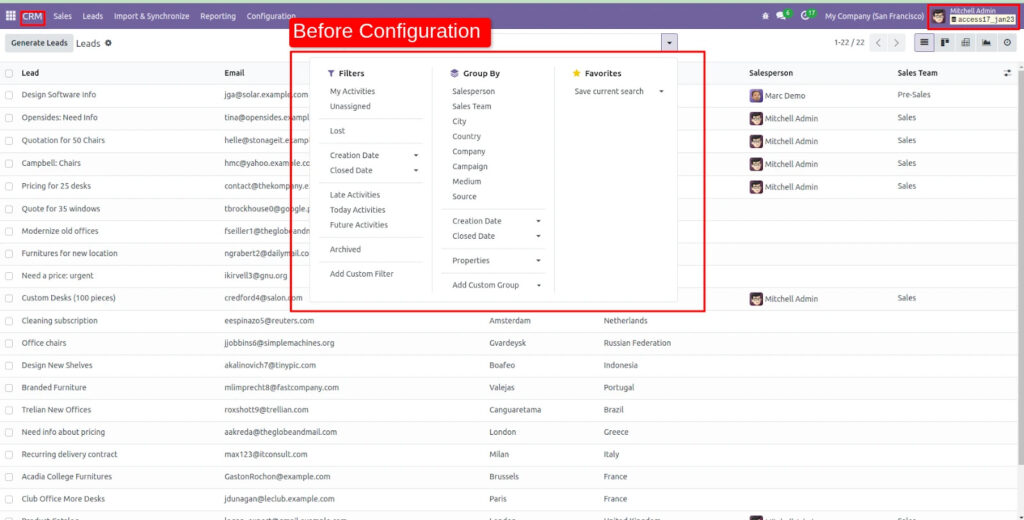
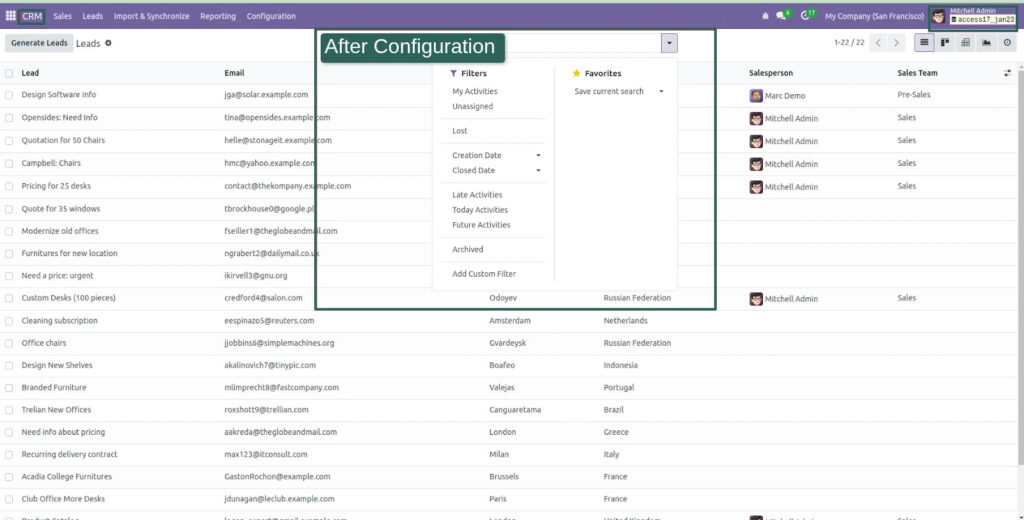
6. Restrict filters, Group By and Favorites
For businesses that want more standardized views and more disciplined reporting behavior, this helps avoid unnecessary manipulation while keeping the interface simpler for operational users.
7. Chatter and conversation visibility
Internal conversations are useful, but not always for everyone. The ability to manage access to chatter and communication elements adds another layer of practical control.
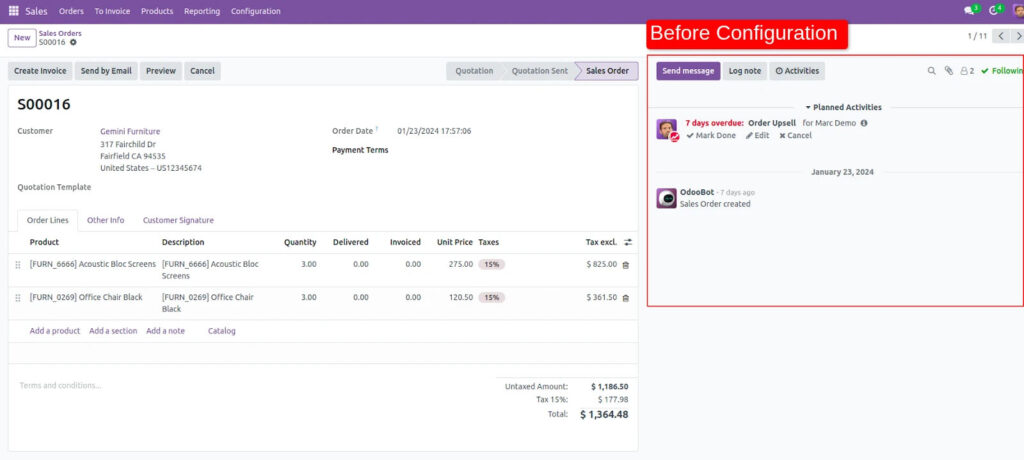
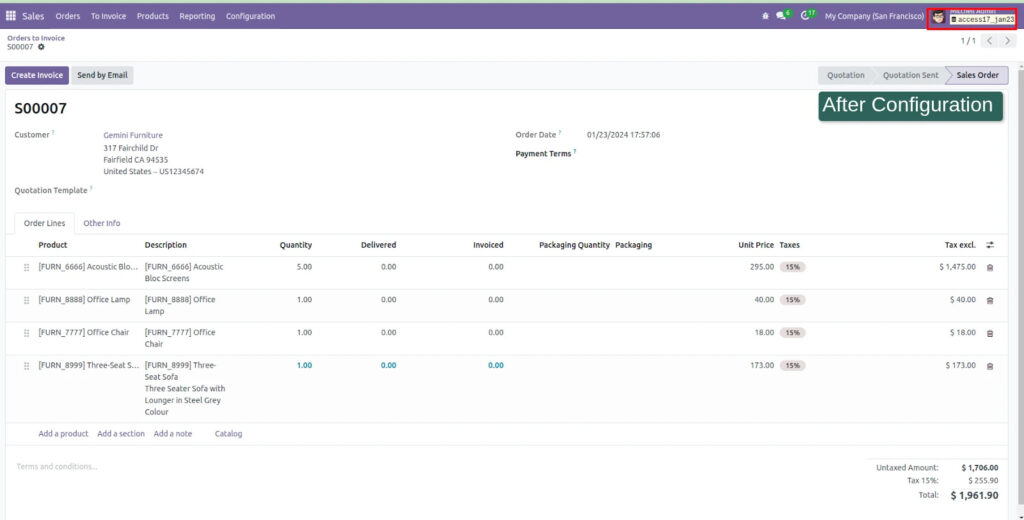
8. Restrict external links and Kanban action links
Sometimes the issue is not the main screen. It is where users can jump from that screen. Restricting link-based movement helps keep navigation aligned to role boundaries.
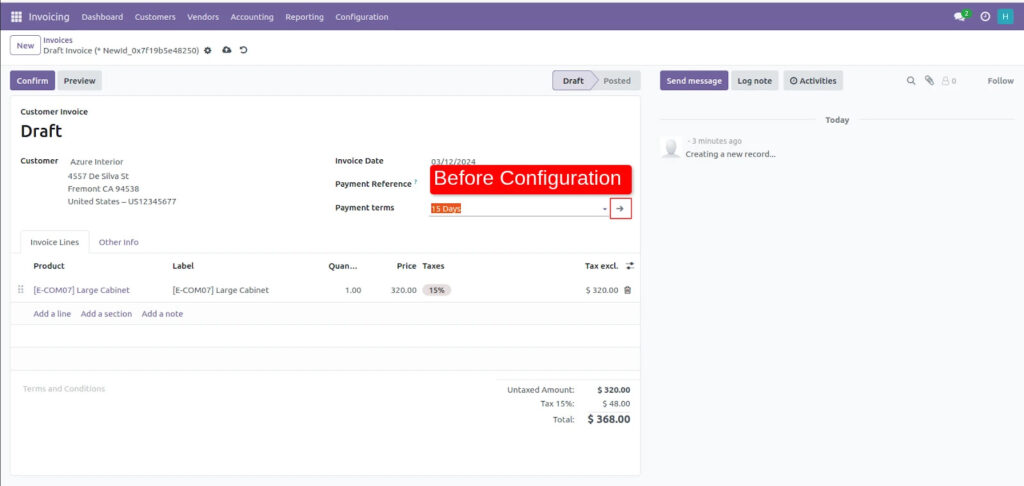
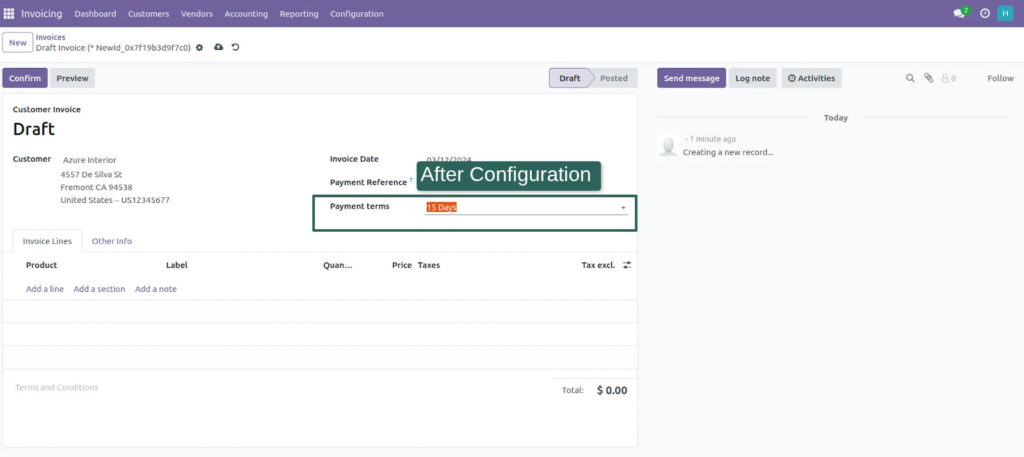
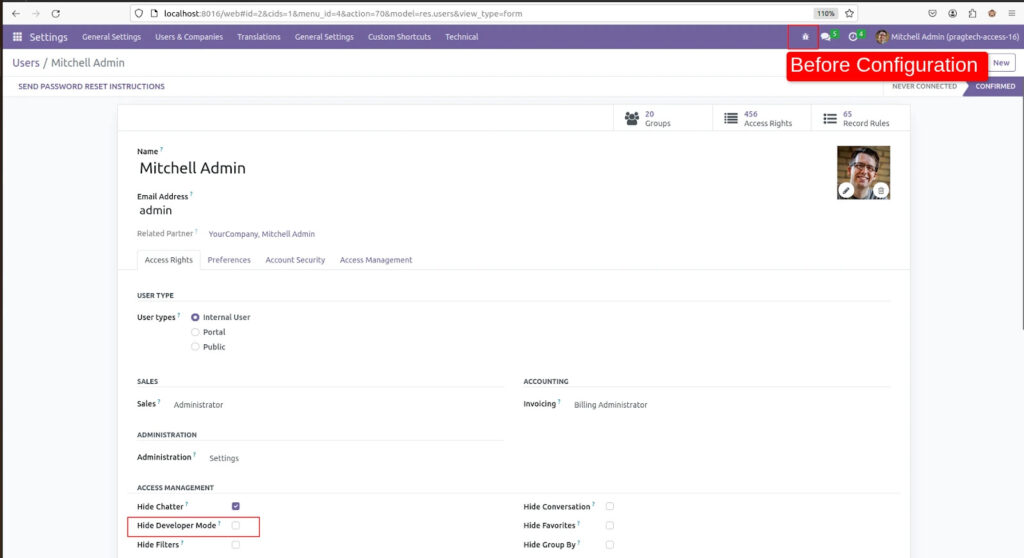
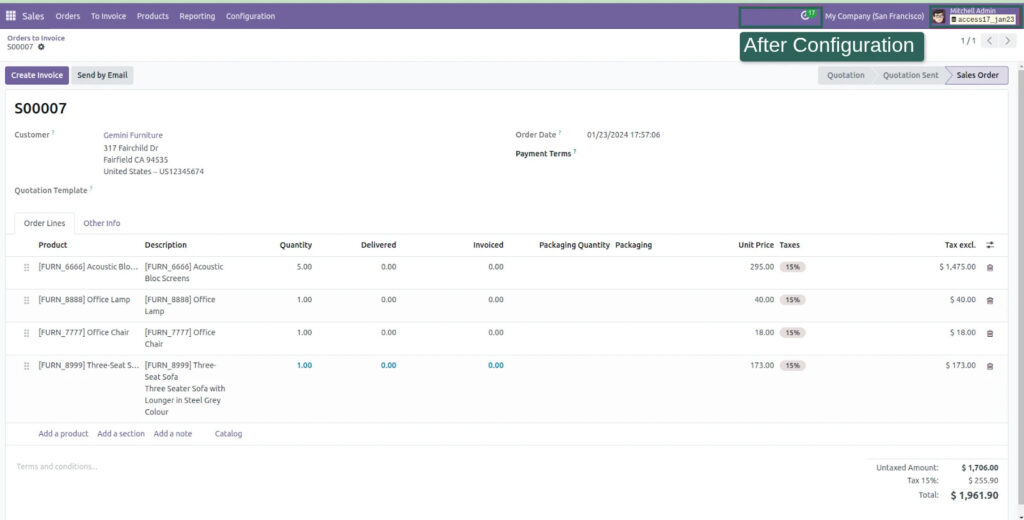
9. Disable developer mode
Developer mode is powerful, but it is not meant for every user. Keeping it restricted helps prevent accidental exposure to backend configurations and technical views.
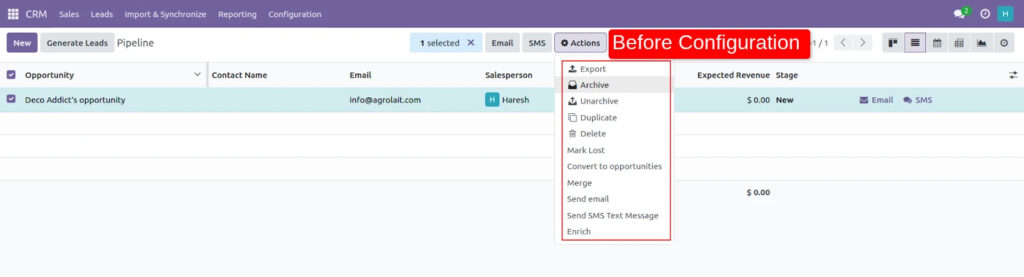
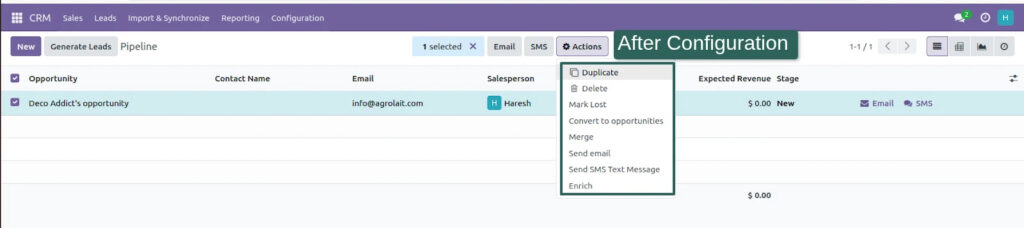
10. Hide export
This is a big one. Just because someone can view data does not always mean they should be able to export it. Export restriction helps businesses bring more discipline to data handling.
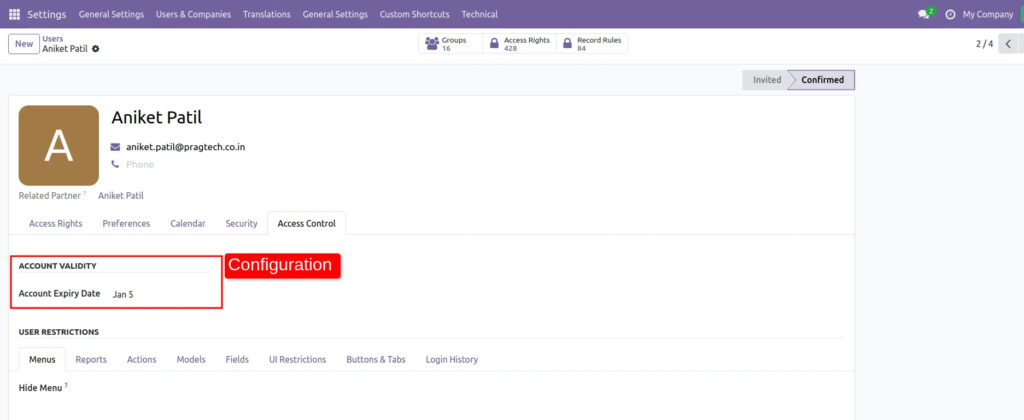
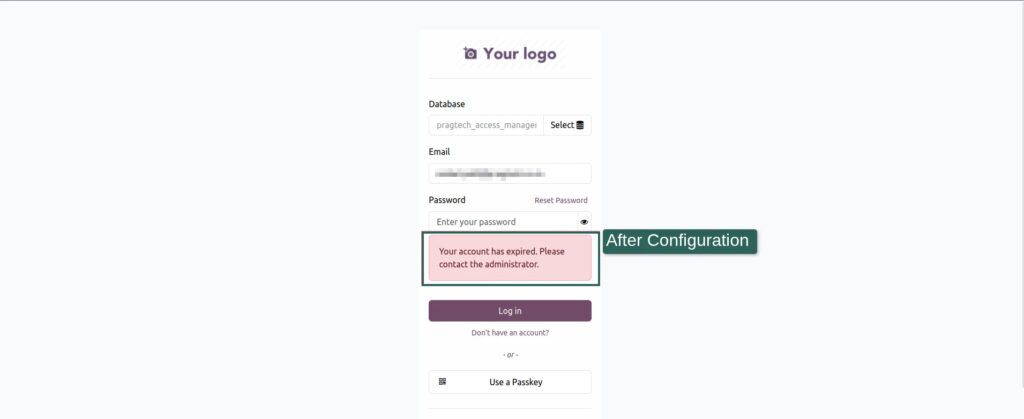
11. Disable login and set expiry-based access
Temporary users, consultants, contract staff, project teams and seasonal roles often need access for a limited period. The app supports account expiry setup and automated reminders, which makes access management more practical.
12. Date-based access control
Some permissions should exist only during a defined period. This feature helps businesses handle role-based or time-sensitive access in a more controlled way.
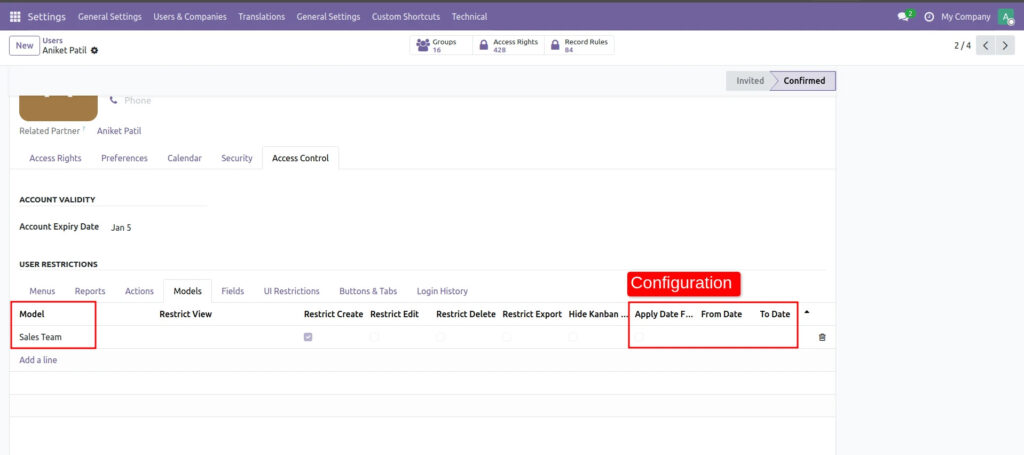
What stands out here is that the app does not just control access at one layer. It helps shape the full experience of how different users interact with Odoo.
And that is where the real value sits.
Why clean access design changes the ERP experience
When access is managed well, the ERP starts feeling different.
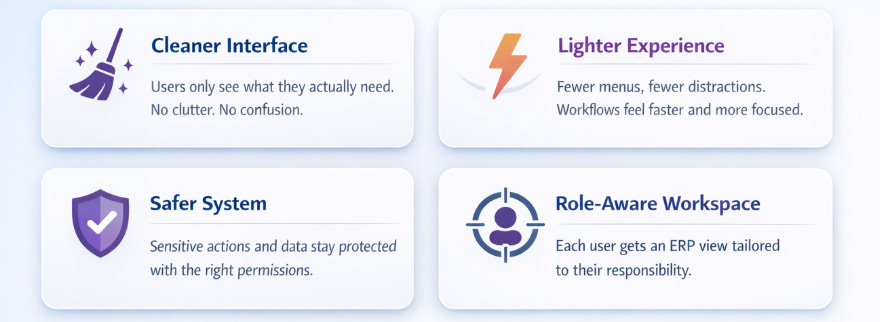
Users stop seeing clutter that slows them down.
Admins spend less time fixing avoidable mistakes.
Managers gain more confidence in how the system is being used.
Processes become easier to standardize.
Data becomes easier to protect.
That shift matters more than people expect.
Because once users feel that the system reflects their role properly, adoption improves naturally. Training becomes easier. Screens feel less intimidating. Teams start trusting the platform more.
And this is the kind of detail that quietly shapes how businesses evaluate ERP maturity.
A platform that can be tailored this precisely starts to feel less like software and more like infrastructure built around the business.
Why businesses trust Pragmatic Techsoft for practical Odoo solutions
A good module is not just about features. It is about understanding what businesses struggle with after implementation, during scale and across everyday operations.
The Access Management app clearly reflects a practical understanding of how Odoo is used in real business environments. Not just in theory and not just in demos. It speaks to the actual messier realities of growth: more users, more roles, more companies, more sensitivity around data and more pressure to keep things structured without making the system harder to use.
The focus is not just on building add-ons. It is on building solutions that make Odoo more usable, more governed and more aligned with how businesses actually operate.
That matters.
Because when businesses invest in Odoo, they are not just choosing software. They are choosing an ecosystem, a way of working and the partners behind that experience.Pragmatic Techsoft with 17+years of expertise in Odoo implementations across industries helps reinforce that trust with solutions that are practical, business-aware and clearly shaped by real operational needs.
Conclusion
The smartest ERP conversations in 2026 are no longer just about features.
They are about control, usability, accountability and how well the system holds up as the business grows.
That is why access management deserves far more attention than it usually gets.
When permissions are too broad, the system becomes noisy. When access is shaped thoughtfully, the system becomes cleaner, safer and easier to run.
Our Access Management app addresses that challenge in a way that feels practical, not overbuilt.
It gives businesses the ability to control visibility, actions, interface behavior, data interaction and user access across Odoo with far more precision.
And that kind of precision is not just an admin convenience.
It is part of what makes ERP work better.
💡Permissions are one of the most overlooked parts of ERP health.
FAQs
1. What does the Access Management app do in Odoo?
It helps businesses control who can see, access, create, edit, export or interact with different parts of Odoo across menus, models, fields, views, buttons, tabs, reports, chatter and more.
2. Is this app useful for multi-company setups?
Yes. The app supports company-wise restrictions and multi-company configuration, which is useful for businesses managing multiple entities within one Odoo environment.
3. Can it hide menus and specific interface elements?
Yes. The app supports hiding menus, submenus, views, buttons, tabs, filters, Group By, Favorites, chatter, conversations and more based on user or company configuration.
4. Does it support field-level access control?
Yes. Fields can be made invisible, required or read-only, and linked create/edit behaviors can also be restricted.
5. Can this app help improve usability, not just security?
Yes. By removing irrelevant options and simplifying what each user sees, it helps make Odoo cleaner and easier to use role by role.
6. Can administrators control data export?
Yes. The app includes export restriction capabilities to help businesses manage data handling more carefully.
7. Does it support temporary or time-bound access?
Yes. It supports login disablement, user expiry dates and date-based access restrictions for more controlled access management.