

Shopify integrations have become more powerful
If you’ve tried connecting Shopify with another system – whether it’s an ERP, accounting software or a custom backend – you’ve probably realized one thing :
It’s not as simple as it used to be.
Over the past couple of years, Shopify has significantly evolved its platform. From authentication changes to API upgrades and structured app workflows, integrations have become more secure, but also more complex to set up and maintain.
For growing businesses, this creates a gap.
On one hand, you need systems to talk to each other – orders, inventory, customers, payments – everything needs to stay in sync.
On the other hand, the technical effort required to make that happen has increased.
This is where most integration issues begin.
In this blog, we’ll break down the 5 most common Shopify integration mistakes businesses are making in 2026, based on real-world implementation challenges and how you can avoid them.
Why Shopify Integrations Feel More Complex in 2026
Before jumping into mistakes, it’s important to understand what changed.
Shopify has shifted toward :
- More secure authentication methods
- Structured app-based integrations
- Scoped permissions
- Greater reliance on APIs (especially GraphQL)
While these changes improve security and scalability, they also introduce :
- More steps during setup
- Greater dependency on correct configuration
- Higher chances of integration failure if not handled properly
This is why many businesses today struggle not with whether to integrate – but how to do it efficiently.
Mistake #1 : Relying on Manual Token & Authentication Setup
One of the most common issues businesses face today is handling authentication manually.
Typical process :
- Create a custom app
- Generate credentials
- Manually retrieve access tokens
- Copy-paste across systems
- Troubleshoot errors
With Shopify’s updated authentication model, this process has become more structured – but also more prone to errors when handled manually.
Why this is a problem –
- Time-consuming setup
- Easy to misconfigure credentials
- Higher dependency on developers
- Difficult to scale across multiple stores
How to avoid it
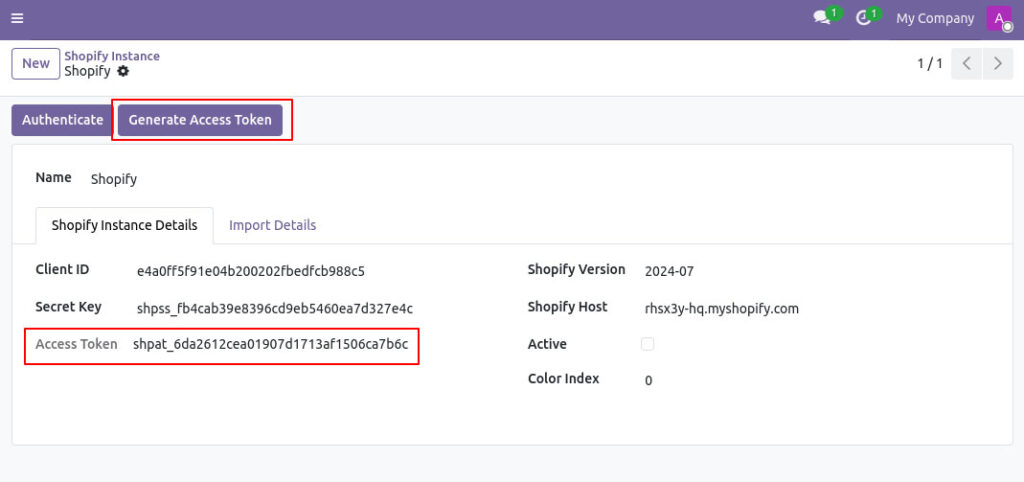
Use an approach where token generation and authentication are handled directly within your integration system.
This reduces friction, eliminates unnecessary steps and ensures compatibility with Shopify’s latest updates.
Mistake #2 : Ignoring real-time synchronization
Many integrations still rely on scheduled syncs instead of real-time updates.
This creates delays between Shopify and your backend system.
Common issues –
- Orders not reflecting instantly
- Inventory mismatches
- Delayed customer data updates
- Operational confusion
How to avoid it
Modern integrations should support :
- Webhooks for real-time data updates
- Automated triggers for key actions
- Minimal delay between systems
Real-time synchronization is no longer a “nice-to-have” – it’s essential for accurate operations.
Mistake #3 : Poor product & Data mapping
Data mismatches are one of the biggest silent problems in Shopify integrations.
This usually happens when :
- Product SKUs differ across systems
- No clear mapping logic exists
- Data is overwritten unintentionally
Impact :
- Incorrect product data
- Order processing errors
- Inventory discrepancies
- Reporting inaccuracies
How to avoid it
A robust integration should –
- Support flexible SKU mapping
- Maintain unique identifiers (like Shopify IDs)
- Prevent overwriting of existing data
- Ensure consistency across platforms
Mistake #4 : No Queue or Error Handling System
As businesses scale, data volume increases.
Without proper handling, this leads to :
- Failed imports
- Missing orders or customers
- System crashes during sync
What typically happens :
Large data imports (orders, products, customers) fail mid-way due to :
- Server interruptions
- Timeouts
- Bulk processing issues
How to avoid it
Use integrations that include –
- Queue-based processing
- Batch handling of data
- Retry mechanisms for failed records
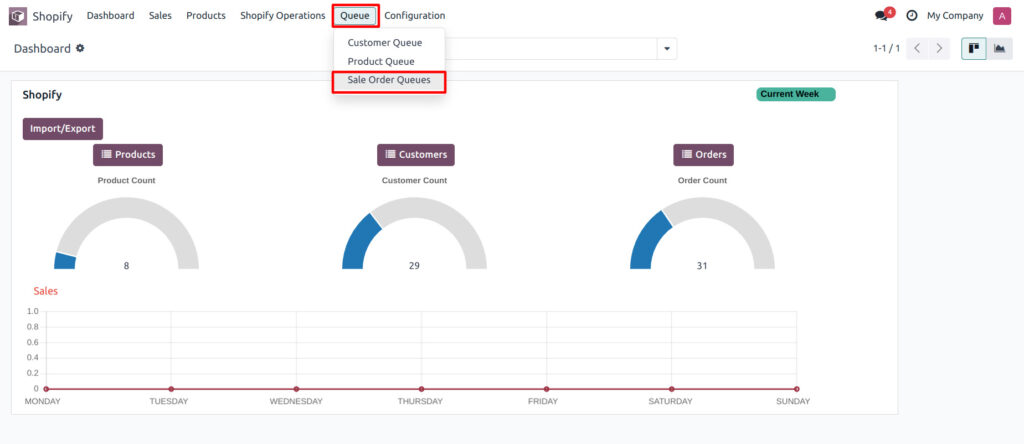
This ensures no data is lost, even during high-volume operations.
Mistake #5 : Lack of End-to-End Order Visibility
A major gap in many Shopify integrations is incomplete order tracking.
Businesses often struggle with :
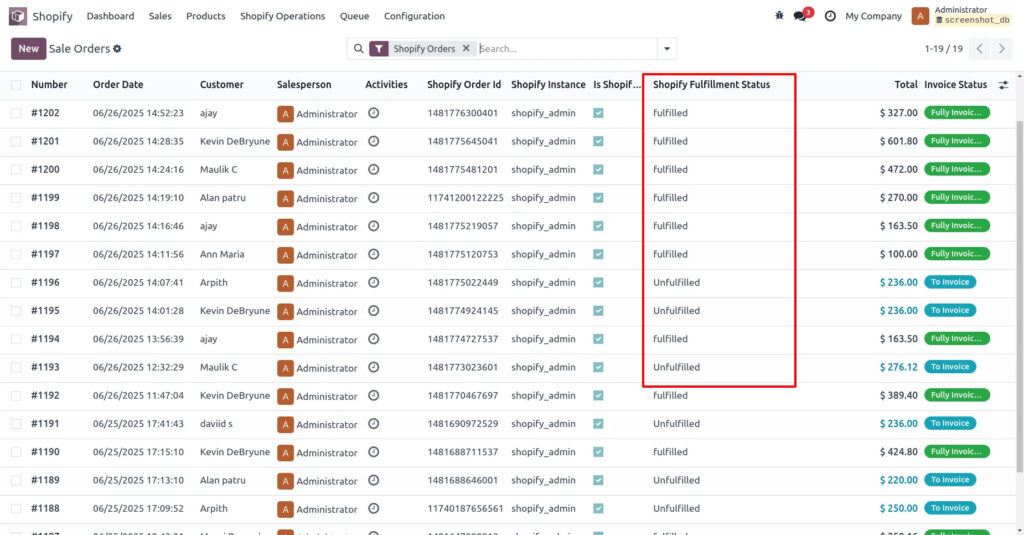
- Payment status mismatch
- Missing fulfillment updates
- Lack of refund synchronization
Why this matters –
Without full visibility :
- Finance teams can’t track unpaid orders
- Operations teams lack fulfillment clarity
- Customer experience suffers
How to avoid it
A complete integration should include :
- Accurate payment status (paid/unpaid/partial)
- Fulfillment tracking (on hold, fulfilled, restocked)
- Refund and cancellation synchronization
- Order tagging for better filtering

What a Modern Shopify Integration Should Look Like
Based on these challenges, a modern Shopify integration in 2026 should :
- Handle authentication seamlessly
- Support real-time data synchronization
- Provide strong data mapping capabilities
- Include queue-based processing
- Offer full order lifecycle visibility
- Work across multiple stores and locations
In short – it should reduce manual effort, not increase it.
How Pragmatic Techsoft approaches Shopify integrations
At Pragmatic Techsoft, we’ve worked with businesses running everything from single Shopify stores to high-volume, multi-store operations.
One thing is clear – integration problems rarely come from Shopify itself. They come from how the integration is built.
So instead of treating integration as just a connection, we focus on how it behaves in real operations.
Here’s what that means in practice :
1. Setup that doesn’t depend on developers
Shopify’s authentication has become more structured – but also more error-prone when done manually.
Our connector allows access token generation directly from Odoo using Shopify app credentials, removing the need for manual copy-paste steps and reducing setup friction.
2. Real-time data flow, not delayed syncs
Orders, customers and products are synced using webhooks and automated processes – so your systems stay aligned without waiting for scheduled jobs.
3. Data mapping that actually works in real scenarios
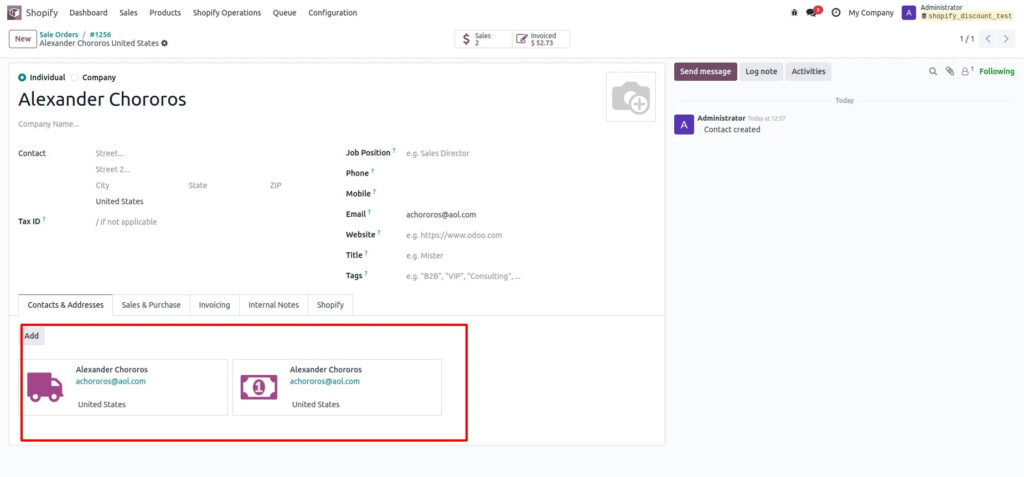
We support SKU mapping, Shopify ID tracking, and controlled data updates – so existing records aren’t overwritten and mismatches don’t break operations.
4. Built for scale with queue-based processing
As order volume grows, most integrations start dropping data. Our queue management system processes large data sets reliably and ensures failed records are retried – so nothing gets lost during peak loads.
5. Complete order visibility across systems
From payment status (paid, unpaid, partial) to fulfillment stages and refunds – everything is synced and visible inside Odoo, so finance and operations teams stay on the same page.
6. Multi-store and multi-location ready
Whether you’re managing multiple Shopify stores or handling inventory across locations, the connector keeps everything centralized without complicating workflows.
In short, the goal isn’t just to connect Shopify with Odoo – it’s to make the integration reliable enough that your team doesn’t have to think about it.
Conclusion
Shopify integrations in 2026 are more powerful than ever – but also more complex.
The businesses that succeed are not the ones avoiding integrations, but the ones doing them right.
By avoiding common mistakes like manual authentication, poor data mapping and lack of real-time sync, you can build a system that actually supports your growth instead of slowing it down.
If Shopify is a core part of your operations, your integration should feel simple, reliable and scalable – not like a constant workaround.
Evaluating options? It’s worth understanding what a reliable, real-time setup should look like – before committing to one.
Book a one-on-one consultation with our team and see the connector in action.
FAQs
1. Do Shopify access tokens expire automatically?
Most Shopify access tokens remain valid until the app is uninstalled or permissions are changed, but they should always be stored securely and managed properly.
2. Is OAuth mandatory for Shopify integrations now?
Yes, OAuth is the standard authentication method for modern Shopify apps and integrations.
3. Can I still use older Shopify API methods?
While some legacy methods may still work, Shopify strongly recommends using updated APIs and authentication flows to ensure compatibility.
4. What is the best way to handle large Shopify data imports?
Using queue-based processing with batch handling is the most reliable way to manage large volumes of data.
5. How often should Shopify data sync with backend systems?
For most businesses, real-time or near real-time synchronization is ideal to maintain accuracy across operations.