
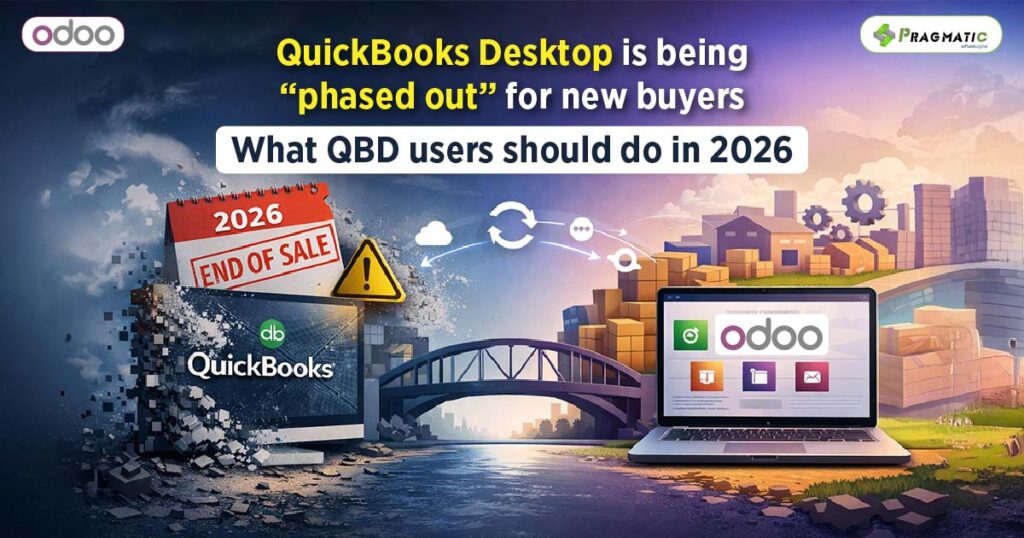
If you’re a QuickBooks Desktop (QBD) user, you’ve probably heard some version of: “Desktop is ending” or “you have to move to Online.”
The truth is more nuanced and that nuance matters because it determines what you should do next.
In the US, Intuit stopped selling new subscriptions of several QuickBooks Desktop products to new subscribers after September 30, 2024.
That doesn’t mean existing customers instantly lose access and it doesn’t automatically mean you must abandon Desktop in 2026.
It does mean the market has changed : Desktop is no longer being positioned as the default path for new customers and that affects pricing, support expectations and long-term planning.
So let’s talk about what this change really means, what risks it creates for businesses that rely heavily on QBD, and the most practical strategy many growing companies use : Keep QBD for accounting, but stop forcing it to run your entire business.
The key takeaway : In 2026, the question isn’t “Is Desktop dead?”
The real question is : How much of your business risk is concentrated inside Desktop?
Even if your QBD file opens fine today, businesses that rely on Desktop for more than core bookkeeping tend to feel pressure in a few predictable ways :
A stop-sell environment usually means fewer “entry points” for new licenses and more dependence on renewals. Many firms and consultants have flagged price increases and renewal cost pressure heading into 2026.
Whether your pricing changes or not depends on your product and renewal terms, but the planning lesson is the same : don’t let a single vendor’s desktop subscription dictate how your operations run.
QuickBooks Desktop is excellent for many accounting workflows. But when you ask it to manage modern operational reality, it gets strained:
What happens then?
Teams build shadow systems : spreadsheets, emails, WhatsApp messages, manual reconciliations. That’s not a moral failing. It’s what people do when their system isn’t meant to run operations.
When sales, purchasing, inventory, and manufacturing all depend on what the accounting file “says,” you get :
In 2026, the winners are separating responsibilities: accounting stays accounting and operations get an operations system.
Here are the typical options businesses debate and what usually goes wrong.
This is fine until you hit a trigger event: a big growth phase, a compliance requirement, a warehouse expansion, or even just a staffing change where tribal knowledge disappears. The problem is not “Desktop stops tomorrow.”
The problem is : your process debt keeps growing.
Sometimes this is the right answer. But many Desktop users hesitate because their workflows are deeply tuned to Desktop, their files are complex or they have industry needs that require a more operational backbone than accounting software alone. Even some advisory content points out there are feature differences and tradeoffs between Desktop and Online.
This is the most common “it works for now” approach. The cost is hidden: hours, errors and missed opportunities.
This is the approach we’ll focus on because it’s the best middle path for many QBD-first businesses in 2026.
Think of your business as two systems :
Odoo is strong as a system of execution because it’s designed to connect operations end-to-end :
Sales → Purchase → Inventory → Manufacturing → Invoicing. The goal is not to “replace” QBD immediately.
The goal is to stop forcing QBD to be your CRM + inventory system + purchasing tool + manufacturing planner.
That’s where integration becomes essential: you want your finance team to trust the numbers, and you want your operations team to move fast.
A lot of integrations “demo well” and then fail in real life because they ignore a few fundamentals. If you’re evaluating a QuickBooks Desktop connector in 2026, insist on these capabilities:
If both systems can edit the same field, chaos follows. A good connector makes it explicit :
You need :
Most sync disasters are not “data.” They’re mapping:
If your connector can’t map these cleanly, you’ll spend your life cleaning duplicates.
QBD environments vary. Stable connectors often sync in controlled batches, and give you a way to validate before pushing large volumes.
Let’s translate “connector features” into real-world outcomes a QBD user cares about.
Sales confirms orders by email, stock is checked manually, and accounting later builds invoices in QBD. Things slip.
With the Odoo Quickbooks Desktop connector – Sales orders live in Odoo (with products, pricing, customer details). When you invoice, the connector can export invoices to QBD and payments can sync back depending on your workflow. That means:
QBD inventory can become a reporting tool rather than a real-time operational tool, especially as warehouses, product variants or manufacturing complexity increases.
With the Odoo Quickbooks Desktop connector – Odoo runs inventory as a live operational engine. You can still keep accounting values aligned through controlled synchronization of products/accounts and inventory-related entries based on your process design.
When something breaks in a manual process, it’s hard to know where: spreadsheet, email, QBD entry or someone’s memory.
With the Odoo Quickbooks Desktop connector – Odoo gives process-level traceability (quotes → orders → deliveries → invoices). A well-built connector adds sync logs so you can answer : What synced, when and what failed?
Many QBD businesses rely heavily on –
If your connector supports importing these into Odoo in a structured way, you reduce manual re-entry and keep your ledgers consistent. (This is exactly the kind of “advanced workflow coverage” that separates a serious connector from a basic importer.)
You keep the part of QBD you trust (your books) and you stop asking it to be the operating system of your company. That’s how you reduce risk in 2026 without triggering a massive, disruptive migration.
If you’re a QBD user and you want a safe path forward, here’s a practical rollout that avoids “big bang” change.
This approach is boring on purpose. Boring is stable. Stability is what finance teams love.
QuickBooks Desktop being unavailable to new US subscribers after September 30, 2024 doesn’t mean your business has to panic.
But it does mean 2026 is the right time to reduce how much operational risk sits inside a single desktop accounting file.
For many QBD users, the smartest move is not “replace QuickBooks tomorrow.” It modernizes operations now while keeping finance stable.
That’s where an Odoo ↔ QuickBooks Desktop connector becomes genuinely valuable: it gives you a bridge between two worlds so your teams can stop duplicating work, reduce errors and build a cleaner, auditable process.
Pragmatic Techsoft has built an Odoo QuickBooks Desktop (QBD) Connector designed for that exact reality: QBD users who want a safer operational backbone without losing their accounting comfort zone. If you’re exploring this path, the most useful next step is a short requirements check : What transactions you rely on (invoices, sales receipts, credit memos, inventory adjustments, journal entries), how you handle taxes/accounts and what you want Odoo to “own” operationally.
Talk to our team about building a clean bridge between Odoo and QuickBooks Desktop – with proper mapping, logging and reconciliation control.
Book a quick compatibility review
Not automatically. “Stop sell” mainly refers to new subscriptions for new US subscribers ending after Sept 30, 2024.
What can change over time are services (support, payroll, bank feeds, security updates) depending on your version and subscription status. The safest approach is to plan as if critical services might become less predictable over time.
Because most growing pains are not accounting pains. They’re operational: inventory accuracy, purchasing control, fulfillment speed, production planning, and customer experience. Odoo handles these end-to-end, while QBD remains your financial system of record.
A well-implemented connector reduces risk by using :
Duplicates and mismatched accounting logic :
It depends on your accounting practice and industry.
Many businesses run operational inventory in Odoo and ensure accounting reflects the correct financial impact through controlled postings and consistent item/account mapping. Your accountant’s preferred reporting and valuation method should drive this decision.
Yes. Many “basic” connectors only handle invoices and customers. If your workflow depends on sales receipts (immediate payment) and credit memos (returns/credits), make sure your connector explicitly supports those transaction types, otherwise your team will be stuck doing manual re-entry.
No. It’s especially useful for small and mid-sized businesses that have outgrown “QuickBooks + spreadsheets” but don’t want a disruptive accounting migration. The goal is progressive modernization : Fix operational bottlenecks first, keep finance steady.





Leave a Reply
You must be logged in to post a comment.