
The part of running a SaaS business nobody talks about If you’re thinking about selling Odoo as a service, this blog is for you!
Probably you’re an Odoo partner who’s tired of one-time implementation projects and wants a business that pays you every month instead of once.
Maybe you’re an ERP consultant who keeps seeing the same clients ask for the same setup and you’re wondering if there’s a faster way to deliver it – for all of them, at once.
You also could be a developer or a software entrepreneur who’s looked at Odoo and thought, “I could turn this into my own hosted product,” but the infrastructure side has always felt like the hard part.
Or you already run an Odoo SaaS business – you’ve got tenants live, invoices going out, and a dashboard you check every morning – and you’re simply looking for ways to run it with less manual effort as it grows.
If you fall into any of these categories, this update is built with you in mind.
Because here’s what nobody tells you before you get into the Odoo SaaS business :
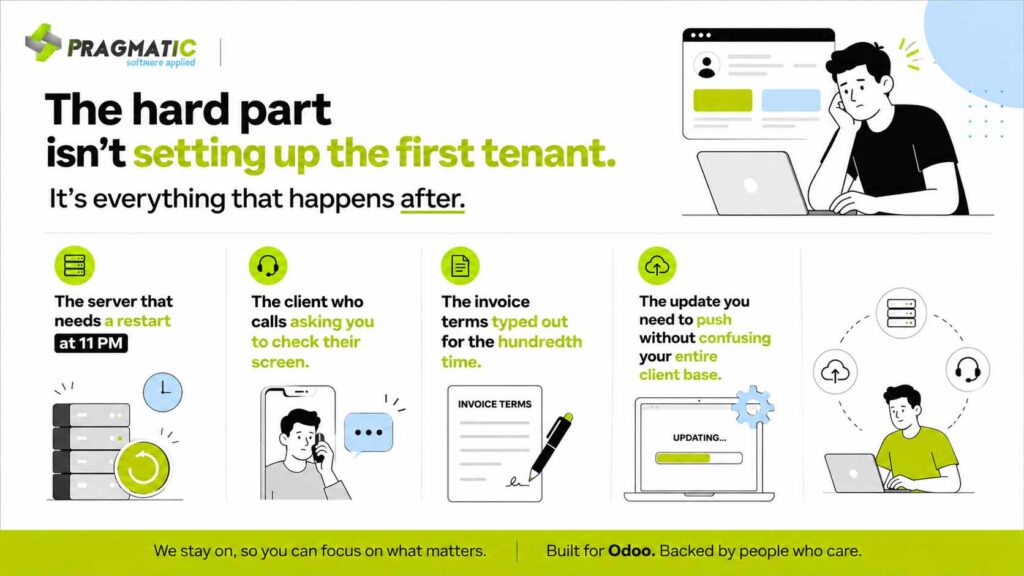
None of these are big problems on their own. But if you’re managing five tenants today and planning for fifty, these small moments are exactly what determine whether your business scales smoothly or starts to feel unmanageable.
That’s the thinking behind the latest update to the Odoo SaaS Rocket Kit.
It’s not a bigger feature list for the sake of it – it’s a set of changes aimed squarely at the operational moments Odoo partners and SaaS providers deal with every day, so you can spend more time growing the business and less time running it.
Here’s what’s new and where each feature actually fits into your day-to-day operations.
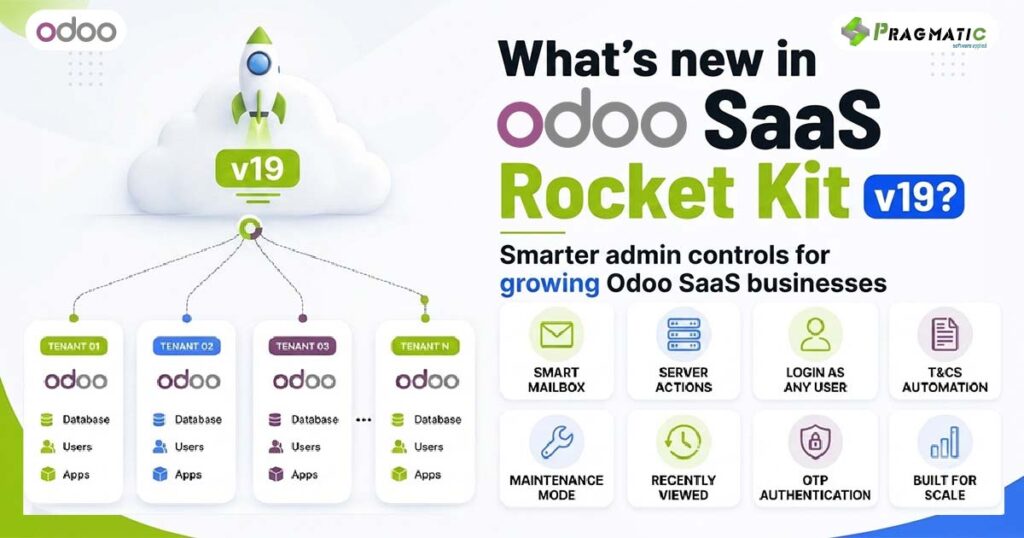
What’s new in the Odoo SaaS Rocket Kit v19
This update didn’t come from a feature wishlist. It came from watching where Odoo partners and SaaS providers actually lose time – and building directly for those moments.
The v19 release adds eight enhancements and they fall into four practical areas of running a multi-tenant Odoo business:
- Communication – A full-featured inbox built into Odoo, so client and team conversations don’t need a separate email tool.
- Infrastructure control – The ability to manage servers, restart instances, and pull code, all from inside Odoo instead of a terminal.
- Admin efficiency – Faster ways to support clients, reuse documentation and pick up exactly where you left off, without repeating manual work.
- Uptime and access security – Controlled maintenance windows and login security that can be adjusted per tenant, not applied as one rigid policy across your whole platform.
None of these change what the Rocket Kit fundamentally does. They change how much of the day-to-day running of it falls on your team versus how much runs on its own.
Here’s each one and where it fits into a real operating day.
Smart Mailbox : Communication without leaving Odoo
If your team manages client communication across email and Odoo separately, you already know the cost – context gets lost and nothing feels centralized.
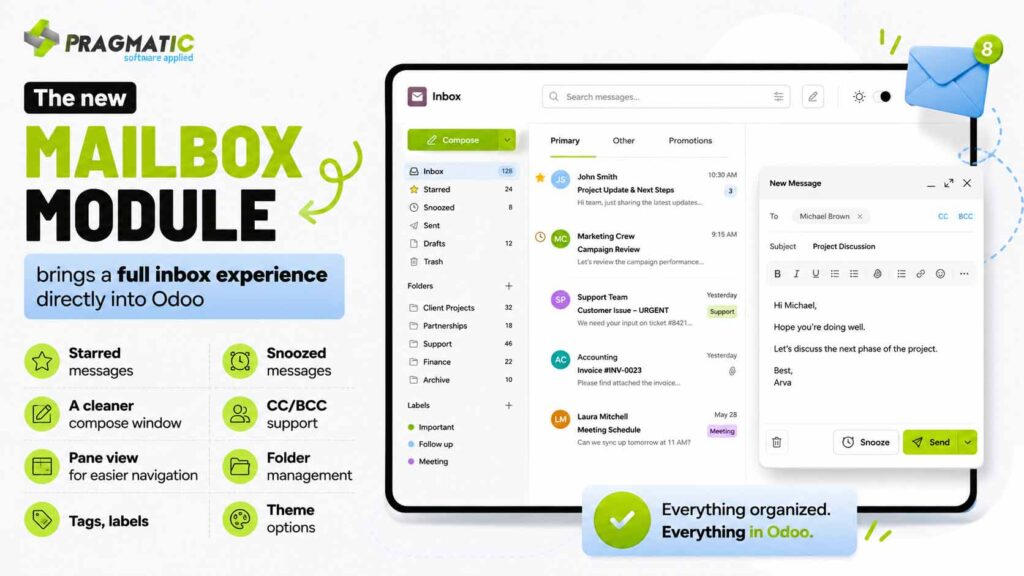
Let’s look at an example
A support team managing renewal reminders, onboarding emails and tenant queries can now snooze non-urgent messages, star anything that needs follow-up and organize conversations with folders and tags – all without switching to a separate email client.
For a SaaS provider juggling dozens of tenant conversations at once, that’s fewer tabs and fewer things falling through the cracks.
Server actions : Server control without a terminal
This is the one most technical teams will notice immediately.
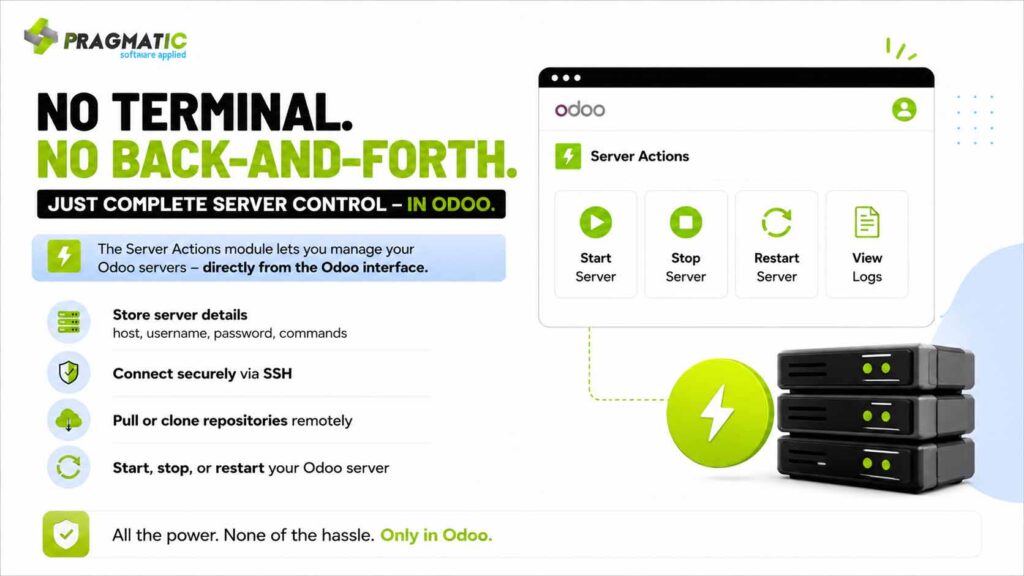
A partner managing infrastructure for 30+ tenant databases no longer needs a developer on standby for routine restarts or repository updates. A junior admin can perform the same action from inside Odoo, without terminal access or deep DevOps knowledge.
That’s fewer bottlenecks and fewer late-night pings to your most senior engineer.
Login as Any User : Faster support, fewer password requests
Every Odoo partner has had this conversation : A client says something isn’t working and the only way to verify it is to see their exact screen.
The traditional fix – asking for login credentials or resetting a password is slow and frankly, not great practice.

During onboarding, an implementation consultant can verify that a new tenant’s user permissions are set up correctly by logging in as that user – catching configuration issues before the client ever notices them and closing support tickets faster.
Terms & Conditions automation for invoices and sales orders
Odoo doesn’t natively support reusable terms and conditions on invoices, bills or sales orders. Most businesses work around this by typing the same text into a note field, every single time.
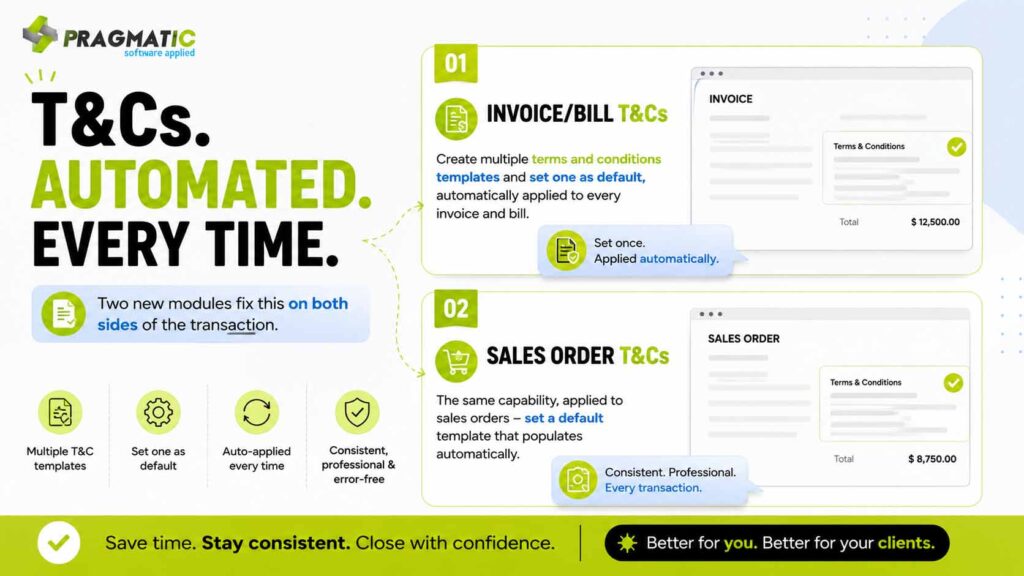
A finance team that issues dozens of invoices a week no longer needs to remember to paste in payment terms, late fee clauses or warranty language. It’s applied automatically, every time, which also means every document a client receives is consistent – a small detail that matters more than it seems when you’re representing your brand at scale.
Maintenance mode : Controlled downtime, not chaos
Pushing an update across a multi-tenant platform is always a slightly nerve-wracking moment. If clients hit a broken page mid-deployment, it doesn’t look like an update – it looks like something is wrong.
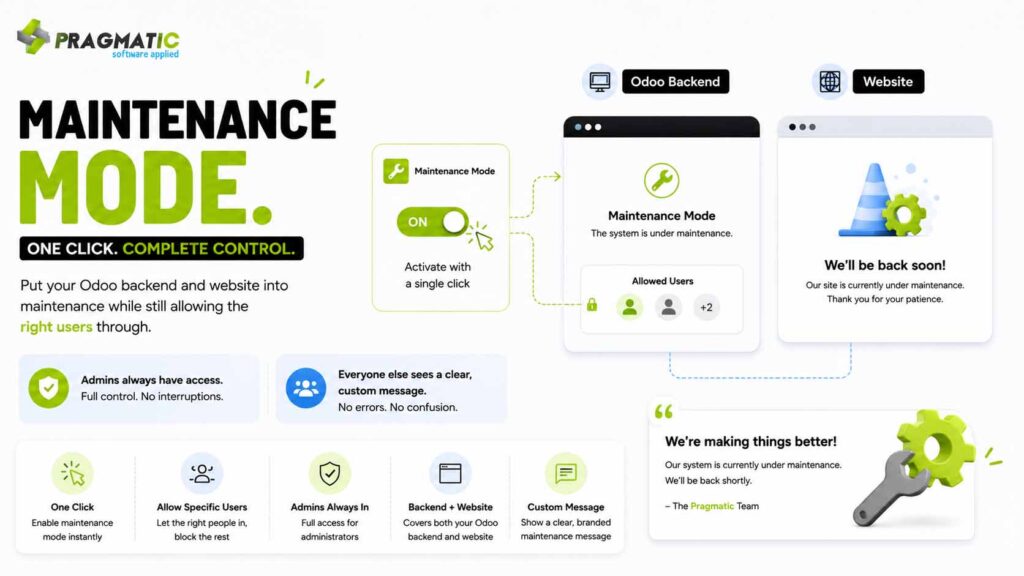
A SaaS provider rolling out a scheduled update at midnight can lock down access platform-wide, keep their own QA team working inside the system and display a simple “we’ll be back shortly” message to tenants instead of fielding a wave of confused support tickets the next morning.
Recently Viewed Records : Less searching, more working
In a multi-tenant environment, admins often move between dozens of records a day – client accounts, configurations, support tickets. Losing track of “the one I was just on” is a small but constant time drain.

An admin handling multiple tenant escalations in a single day can jump straight back to the last three records they were working on – without re-searching or asking a teammate “which client was that again?”
OTP authentication : Security that adapts per tenant
Not every client wants the same login experience. A financial services tenant may need strict authentication. A small retail client may prioritize speed over friction.

A SaaS provider serving clients across regulated and non-regulated industries can turn on stricter OTP requirements for the tenants that need it, while keeping login frictionless for the ones that don’t – without maintaining two separate systems.
Why these enhancements matter for SaaS partners
None of these features are flashy on their own.
What they have in common is where they sit : in the small, recurring moments that quietly determine how much manual work your team carries as you scale from 10 tenants to 100.
- Faster server control means less developer dependency
- Login-as-any-user means faster support resolution
- Default terms and conditions mean fewer manual errors
- Maintenance mode means smoother rollouts
- Recently viewed records means less time lost to searching
- Configurable OTP means security that fits the client, not the other way around
Individually, each saves a few minutes.
Together, across a growing tenant base, that adds up to meaningfully less operational overhead – which is really the entire point of running Odoo as a SaaS business in the first place.
What Pragmatic Techsoft is building toward
Pragmatic Techsoft has spent over 17 years working inside Odoo – implementing it, customizing it and building apps that solve real operational gaps for businesses running on the platform.
The Odoo SaaS Rocket Kit All-in-One reflects that same approach :
A framework that lets Odoo partners, developers and entrepreneurs launch and manage their own Odoo SaaS business from a single system, without needing to build complex infrastructure from scratch.
The v19 update stays true to that goal. It doesn’t change what the Rocket Kit does – provisioning tenants, automating billing, managing domains and SSL and centralizing administration from one dashboard. It simply removes more of the manual work sitting underneath those processes, so your team spends less time on operations and more time growing the business.
If you’re currently managing Odoo for multiple clients, or thinking about offering Odoo as a subscription service, it’s worth seeing how these updates fit into your existing setup.
Get in touch with our team via email at su*****@*********co.in we’re happy to walk you through what’s changed and how it applies to your specific business.
Need help implementing this in your Odoo environment? We’ve got you covered.
To see it live, click here to schedule a free demo/a quick consultation with our team.
Because – technology is only part of the solution. Reliable support is what keeps your business running smoothly.
FAQs
1. Do I need to reconfigure my existing tenants to use these new features? No. The new modules integrate into the existing Rocket Kit dashboard and can be enabled without disrupting current tenant setups.
2. Can I enable OTP for only some of my tenants and not others? Yes. OTP Authentication can be configured independently per business, so you can apply stricter login security only where it’s needed.
3. Does Server Actions require my team to know DevOps or scripting? No. Server actions like start, stop, restart, and repository pulls are handled through the Odoo interface, without needing terminal-level expertise for routine tasks.
4. Will clients be notified automatically when Maintenance Mode is turned on? Maintenance Mode displays a custom message to users on the backend and website while it’s active, so tenants see a clear notice instead of an error.
5. Are these features available across all supported Odoo versions of the Rocket Kit? The Rocket Kit supports multiple Odoo versions (14.0 through 19.0); reach out to su*****@*********co.in to confirm availability for your specific version.