
Almost every growing business using Odoo has said this at some point:
“We’ll disable the user later.”
It sounds harmless. Responsible, even. The project is over. The contractor has moved on. The intern has left. Disabling access feels like housekeeping – something to do when there’s time.
But here’s the uncomfortable truth: “Later” is where access risk lives. Not because teams are careless, but because businesses move faster than their access discipline.
In theory, disabling a user is simple. In practice, it gets postponed for predictable reasons :
Enterprise IT reports show over 50–60% of user accounts stay active longer than needed, especially for contractors and temps. In Odoo ERP, this hits harder: access touches financials, inventory, customers, and compliance data.
Forgotten access doesn’t cause immediate alarms. That’s the danger.
What happens quietly :
Then suddenly: audits demand logs, discrepancies surface, clients probe access, or leadership asks, “Who saw this?” “We’ll disable later” becomes “Why didn’t we?”
Odoo’s native roles answer “Who can access what?” well. But they falter on :
Roles work for stable teams. They crumble with churn: shifting roles, rotating contractors, seasonal hires, audit windows. Native tools lack auto-expiry, session tracking, and granular UI hides.
Scenario 1: The Contractor Who Never Left
A developer wraps a 3-month Odoo integration. Account lingers “just in case.” Six months on, full visibility to your systems remains. No intent to harm, but exposure lingers.
Scenario 2: Audit Day Panic
Auditor requests: “Quarterly user access logs?” Reality: no history, no expiry proof, too many actives. Routine check turns scramble.
Scenario 3: Junior Users With Senior Shortcuts
Junior clicks a hidden Kanban ellipsis, triggers wrong workflow. Hours fixing what a simple hide prevents.
Modern control is clarity, not suspicion. Growing Odoo teams need:
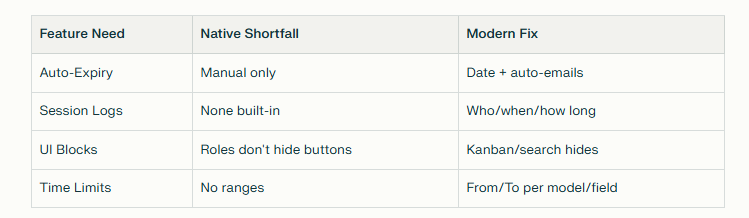
Pragmatic Access Management layers intent-based controls over Odoo roles.

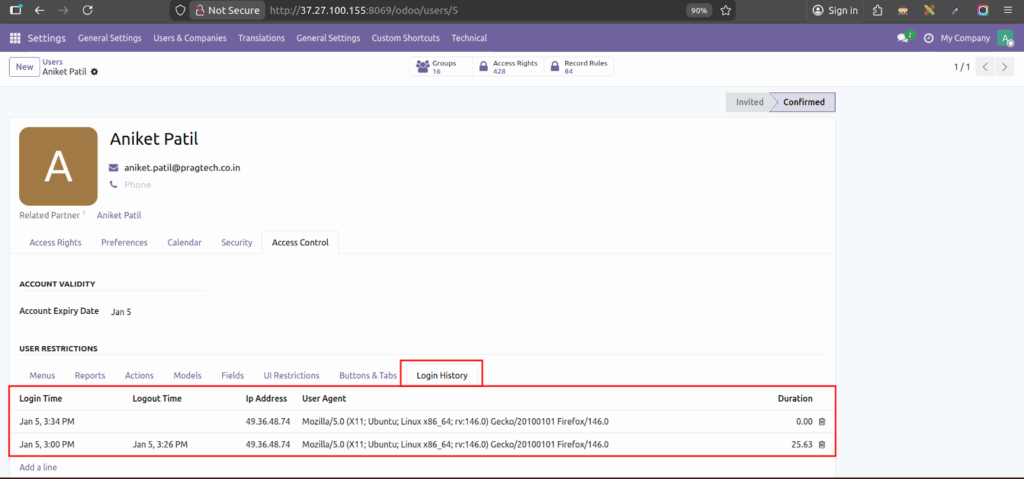

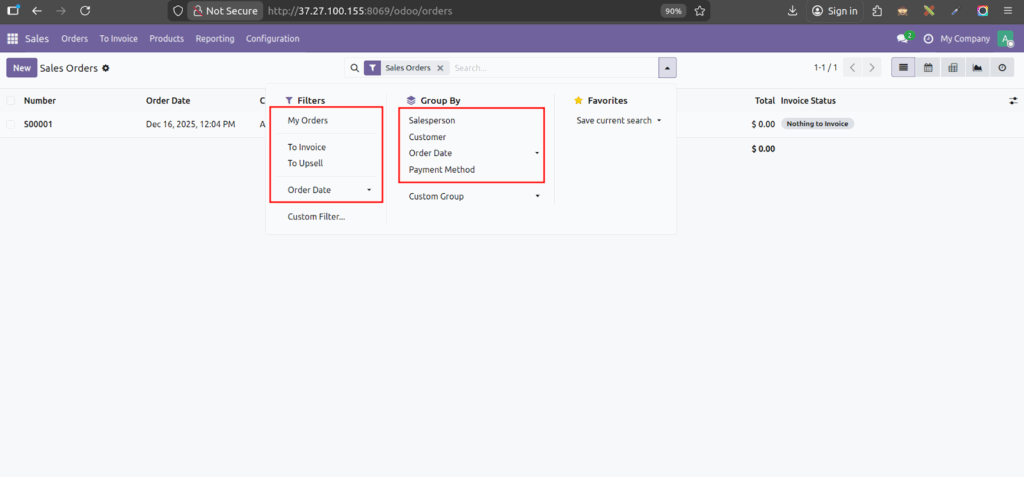
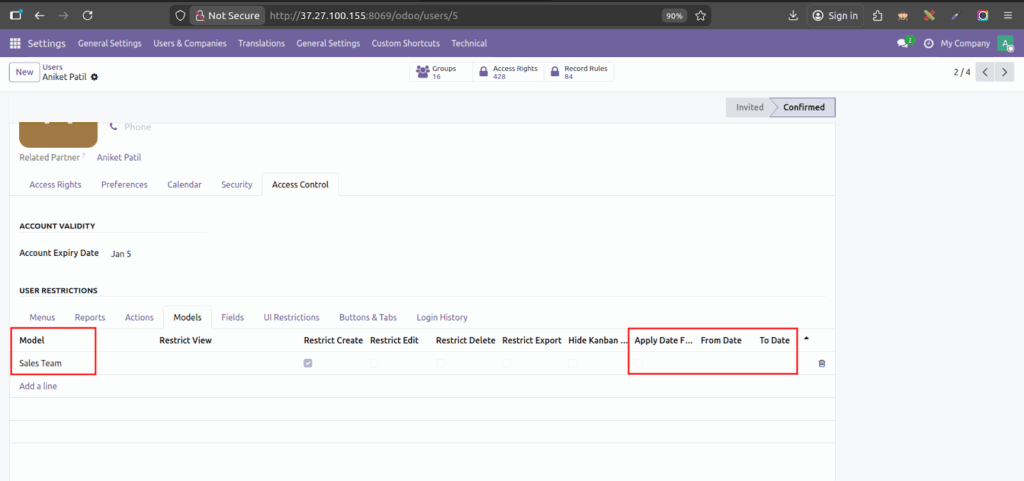
Cleaner systems, zero manual cleanups.
Prioritize if :
Smart access removes friction : No accidents, no forgotten risks, no audit stress. “We’ll disable later” signals your strategy lags your growth.
Upgrade it now with our latest Access Management module.
Connect with our team today. Let’s walk through your Odoo setup together today!
1) Why is forgotten user access risky in Odoo?
Because ERP systems contain financial, operational, and customer data. Even unused access creates exposure.
2) Can’t roles alone manage this?
Roles define access scope, not duration, visibility, or accountability.
3) Is this only for large enterprises?
No. SMEs feel this pain earlier because fewer people manage more responsibility.
4) Does this slow teams down?
No. It removes confusion and reduces cleanup work.
5) How do we evaluate if we need this?
If disabling users is manual, delayed, or inconsistent — you already do.

March 10, 2026




Leave a Reply
You must be logged in to post a comment.