

Requirements :
GMAIL(Service Account)
Steps for creating Gmail Service Account:
Google Service Account allows odoo to connect with gmail and interact with spreadsheet and google drive API
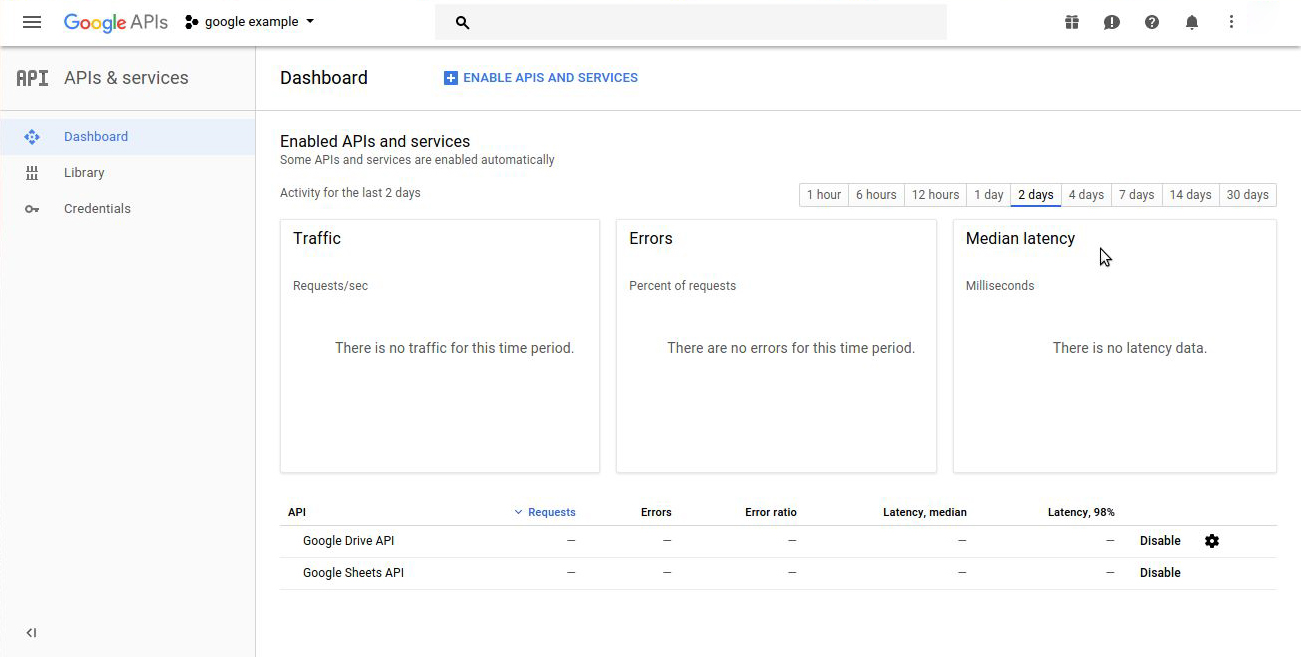
Step 1 : Go to link : console.developers.google.com
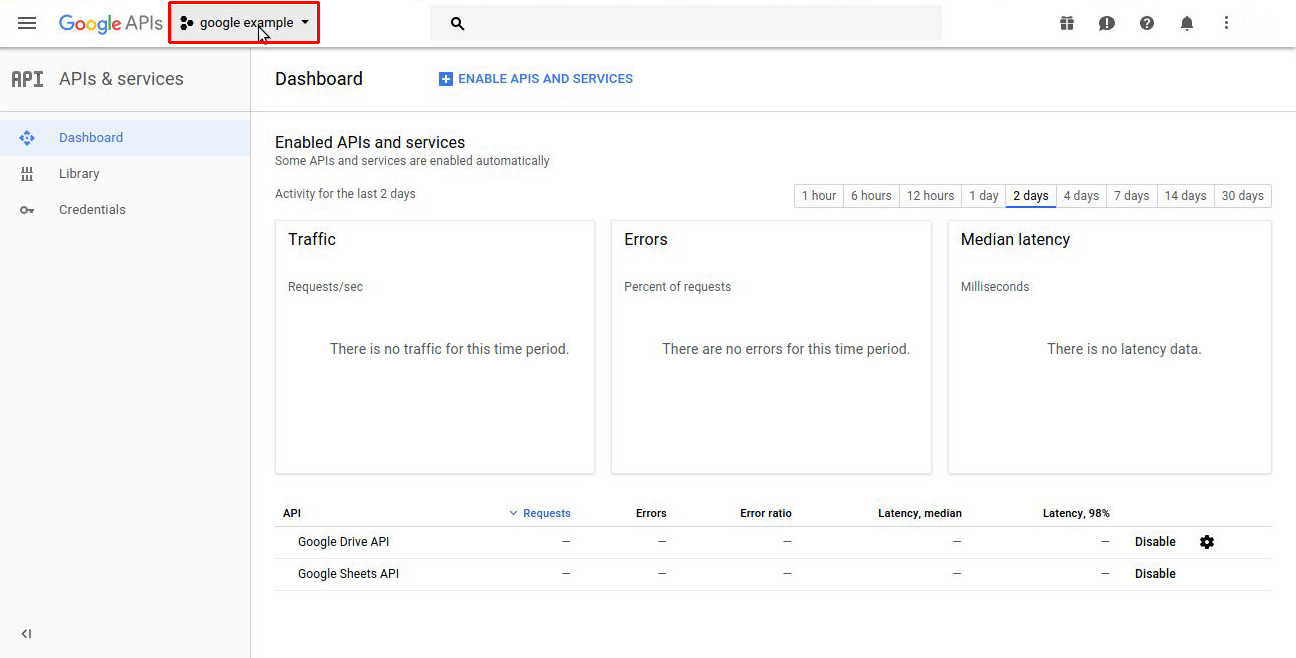
Step 2 : Click on project dropdown to create a new project
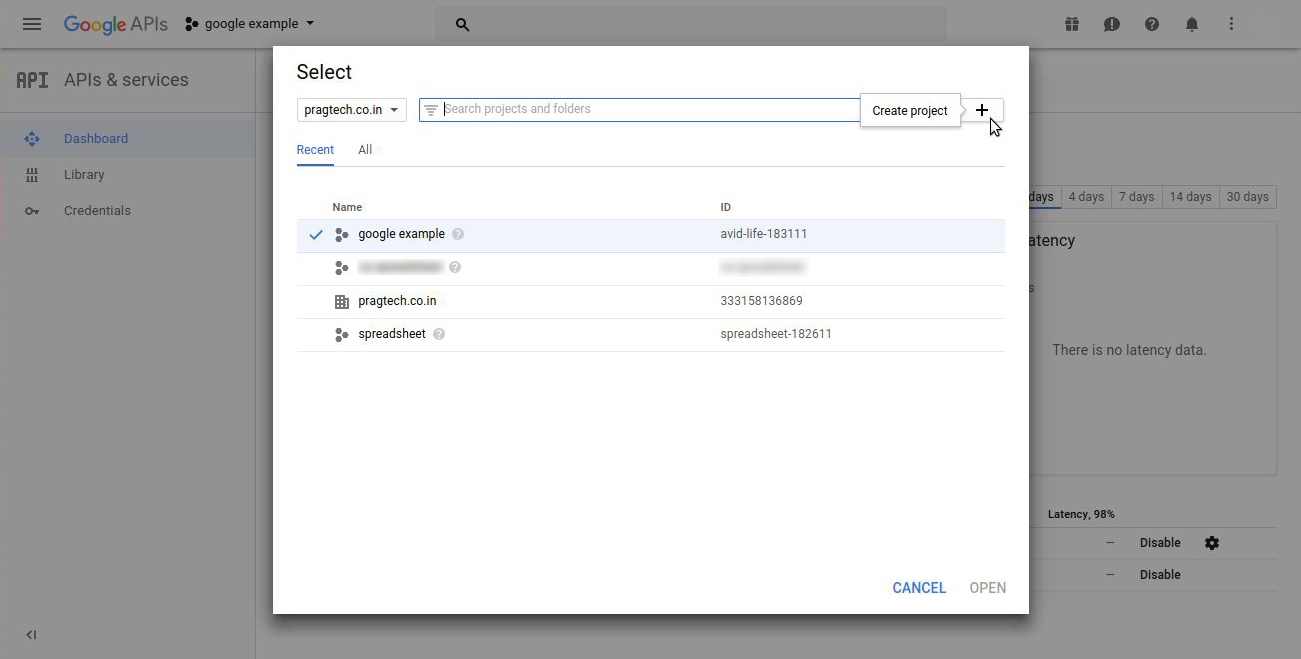
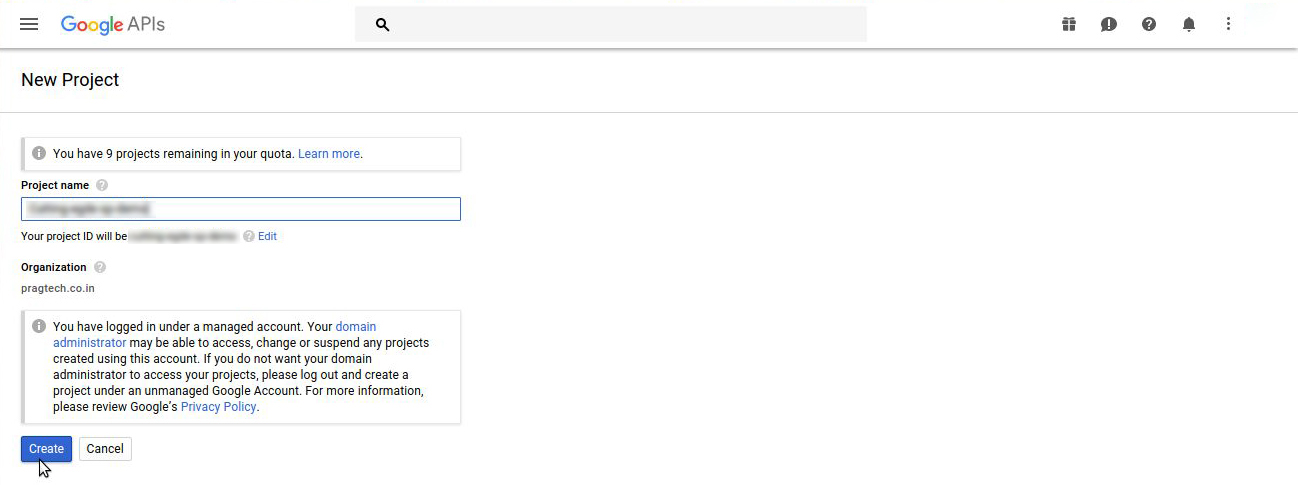
Click on create button
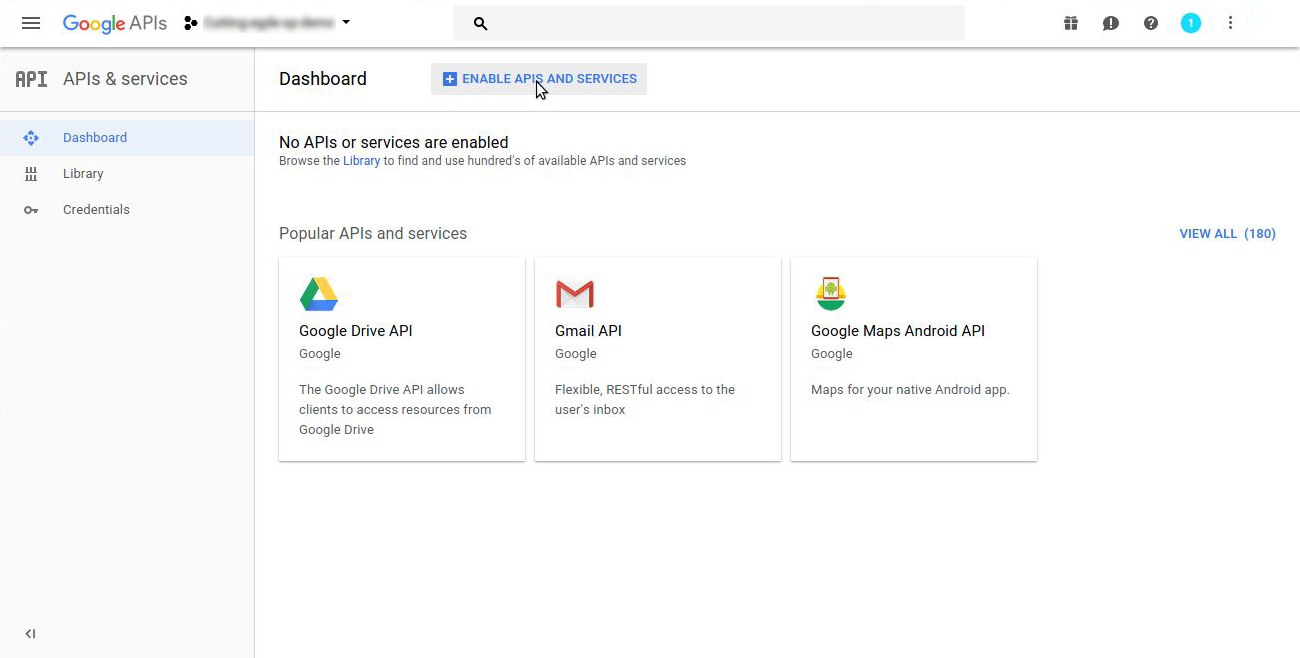

Search Google Sheets API and click on Enable button

Similarly enable google drive API by clicking enable button.
Step 3 : Creating Credentials

Click on create credentials button
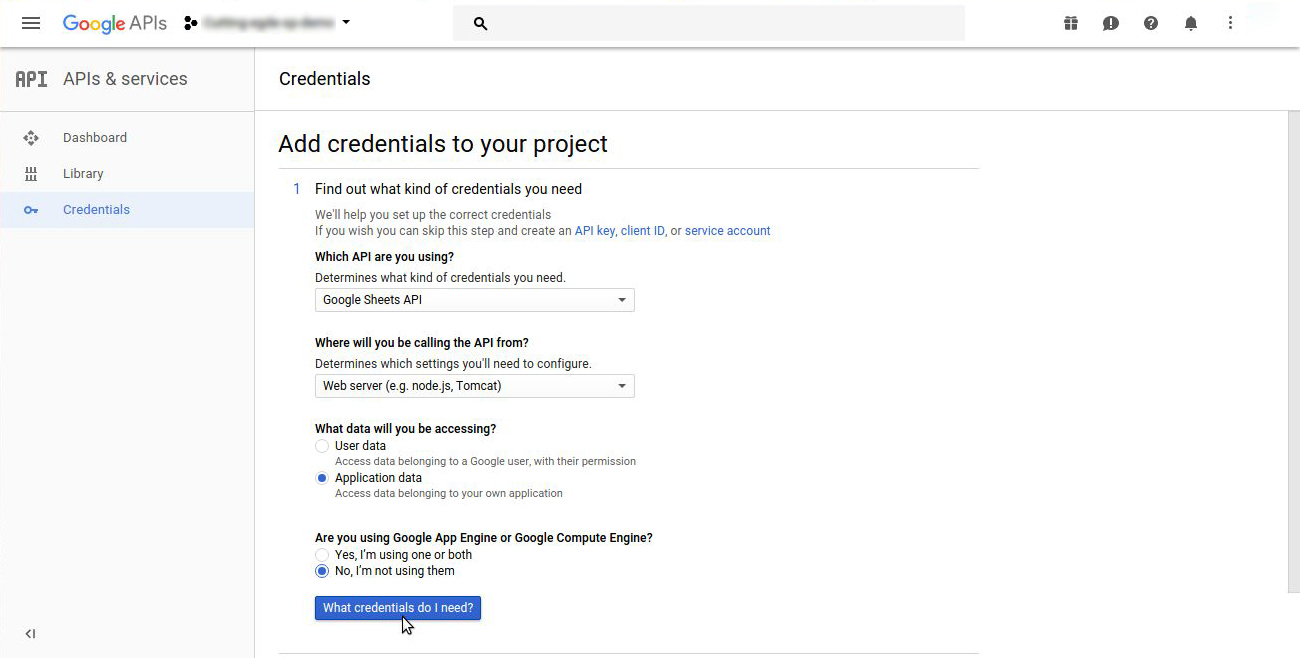
Click on ‘What credentials do I need’ button, After selecting dropdown selections as shown in above image.
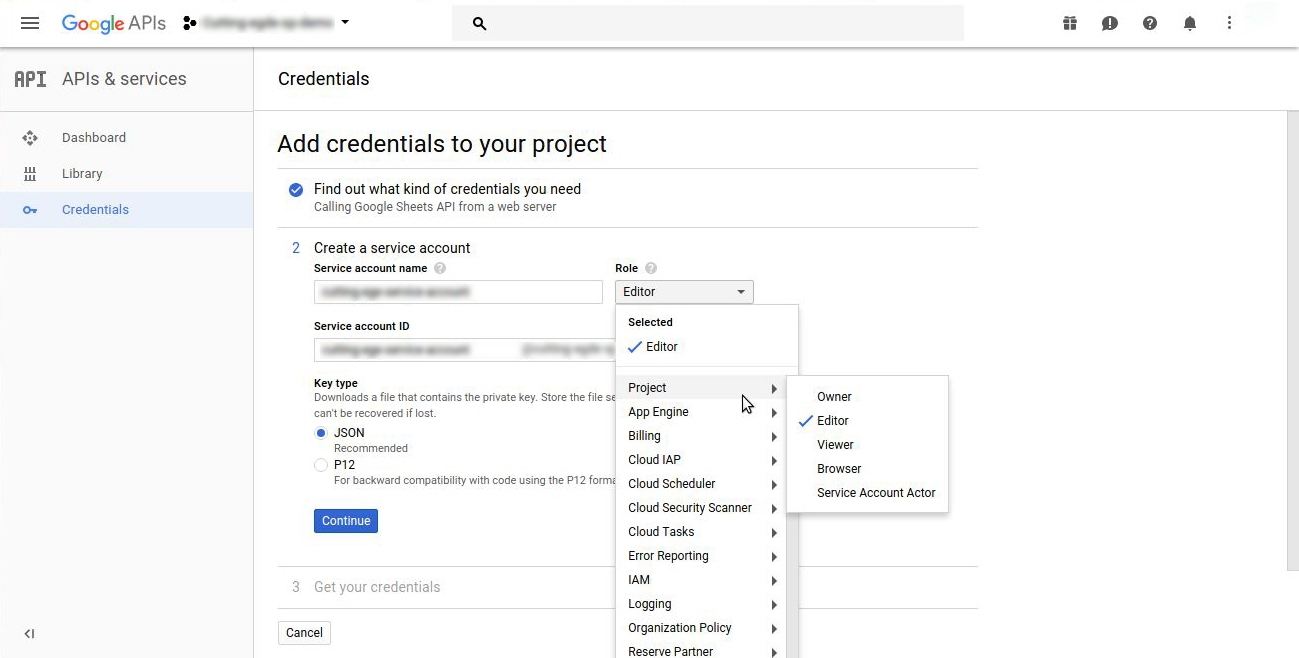
After Selecting above Selections click on continue button.
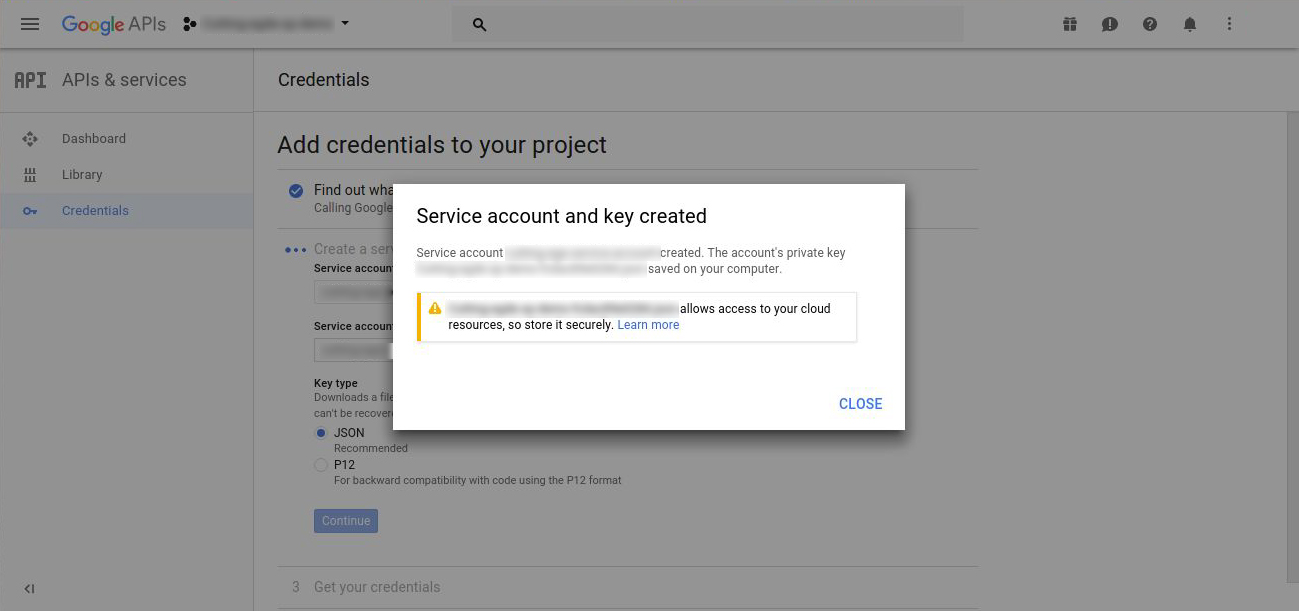
A .json(extension) file gets downloaded, You need to copy this file, rename it to client_secret.json and add to /home directory of server. (This file is generated only once, hence if deleted accidentally will require process to be repeated again for creating credentials)