
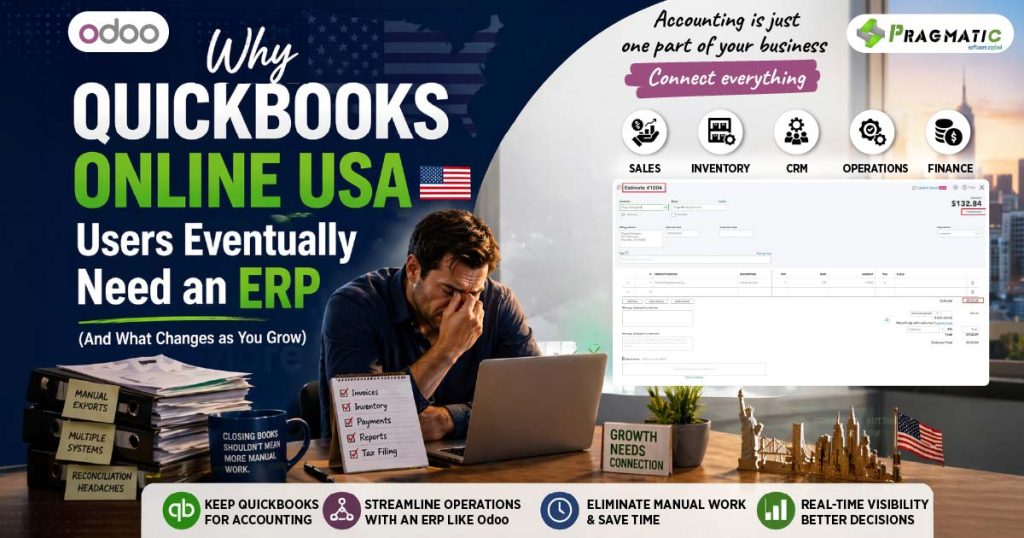
When QuickBooks still works, but the business starts feeling heavy
Most U.S. businesses begin with QuickBooks Online because it is familiar, accounting-friendly and easy to trust.
QuickBooks Online also offers usage limits and operational features that vary by plan, so many companies stay within it comfortably in the early stages.
That works well until the business grows in complexity. More products, more orders, more vendors, more channels, more projects and more systems begin to create friction. QuickBooks is still useful, but it stops being the center of operations and becomes the place where everything is recorded after the fact.
That is the real shift. The problem is not that QuickBooks stops working. The problem is that the business starts needing more than accounting alone.
What this means in simple terms
QuickBooks is excellent at answering financial questions. How much came in, how much went out, what is due and what is profitable. That is why it remains a strong starting point for so many U.S. businesses.
But growth introduces operational questions that accounting software is not built to manage end to end.
🔺Why is an order delayed?
🔺Why does inventory not match?
🔺Why is a payment still waiting to be matched?
🔺Why do sales think an order is complete while operations disagree?
QuickBooks can record the result of those activities. It does not coordinate the full workflow behind them.
That difference becomes critical as the business gets bigger.
Why QuickBooks Online USA works so well at the start
QuickBooks works because it solves the early-stage problem very well. Small and mid-sized businesses usually need clean bookkeeping, bank reconciliation, expense tracking, accountant collaboration and reliable financial reporting before they need deep operational automation.
Some of the features that later become limiting are still very useful in the beginning. Inventory tracking is available in higher plans and classes and locations are also plan-dependent.
That structure is fine for simple operations, but it becomes restrictive once the business starts needing more visibility, more control and more automation.
So the early experience feels smooth because the business is still simple enough for the system to support it.
The pain starts when the business grows faster than the workflow.
The friction QuickBooks users start feeling as they grow
The first signs of strain usually show up in a few predictable areas.

1) Inventory maturity
Basic inventory tracking can work well at first, but businesses with assemblies, multi-step fulfillment, or manufacturing-style requirements usually need more than QuickBooks can manage natively.
2) Project visibility
Project tracking helps, but many growing businesses still end up doing too much manual work to understand job-level costs and profitability clearly.
3) Reconciliation effort
As transaction volume rises, bank-feed issues, duplicate matches and cleanup work take more time than teams expect.
4) Usage ceilings
As the company expands, user counts, chart-of-account structure, classes, locations and custom fields can become real constraints depending on the plan.
This is usually the point where teams stop saying, “We need a better accounting tool.” They start saying, “We need less manual stitching.”
The hidden work around QuickBooks that teams rarely budget for
The real cost of QuickBooks at scale is often not the subscription fee. It is the hidden labor around it.
Finance waits for sales data from another system. Operations exports spreadsheets so accounting can check numbers. Inventory is managed in one place, purchase orders in another, and financial truth in QuickBooks. Payments come in, but someone still has to decide what they belong to.
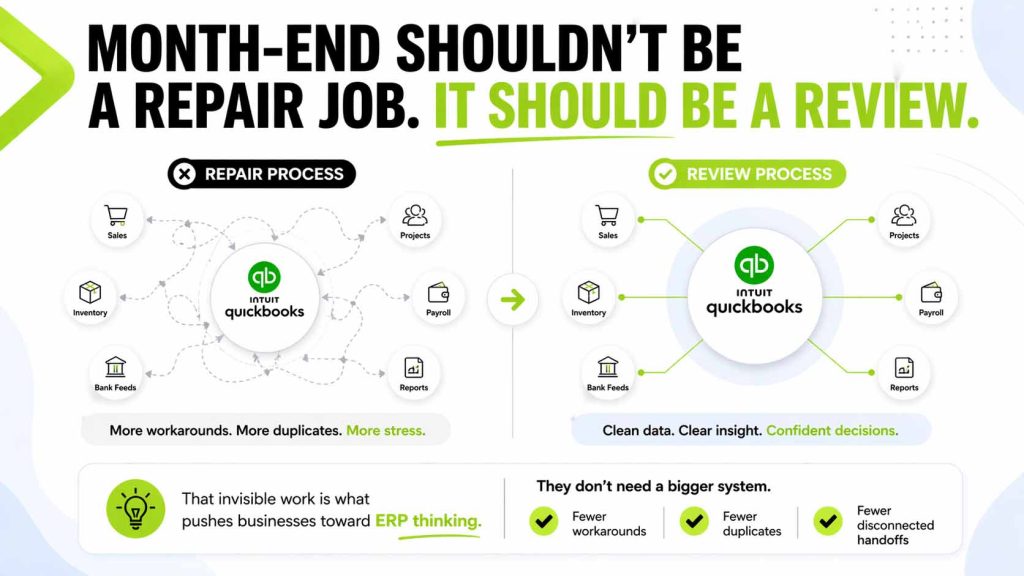
They do not necessarily want a huge new platform.
They want fewer workarounds, fewer duplicates and fewer disconnected handoffs.
The moment the ERP conversation starts
ERP usually enters the conversation as an operations issue, not as an accounting complaint. Sales, fulfillment, inventory, purchasing and finance are spread across different tools and the team spends too much time making the data line up.
That is where ERP creates value. It connects the flow of work. A sales order affects stock. Stock movement affects purchasing. Delivery affects invoicing. The business becomes more connected and people spend less time re-entering the same information in multiple systems.
For many growing U.S. businesses, the answer is not to abandon QuickBooks overnight. It is to keep QuickBooks where it is strong and move operations into a connected ERP layer.
Why businesses don’t replace QuickBooks right away
QuickBooks holds real value for finance teams and external accountants. Historical books are there. Processes are built around it. CPAs already know how to work with it. That makes a full replacement feel risky.
So the better approach is often not to rip and replace. It is to stop asking QuickBooks to do jobs outside its lane. That is where a connector becomes important.
Where a connector fits into this shift
This is exactly where the QuickBooks Online USA Connector fits in.
It helps connect QuickBooks Online and Odoo so businesses do not have to re-enter data or manage disconnected workflows manually. Based on connector capabilities commonly offered in the market, this includes syncing invoices, payments, customers, vendors, products, taxes, accounts, payment terms and related transactional data between the two systems.
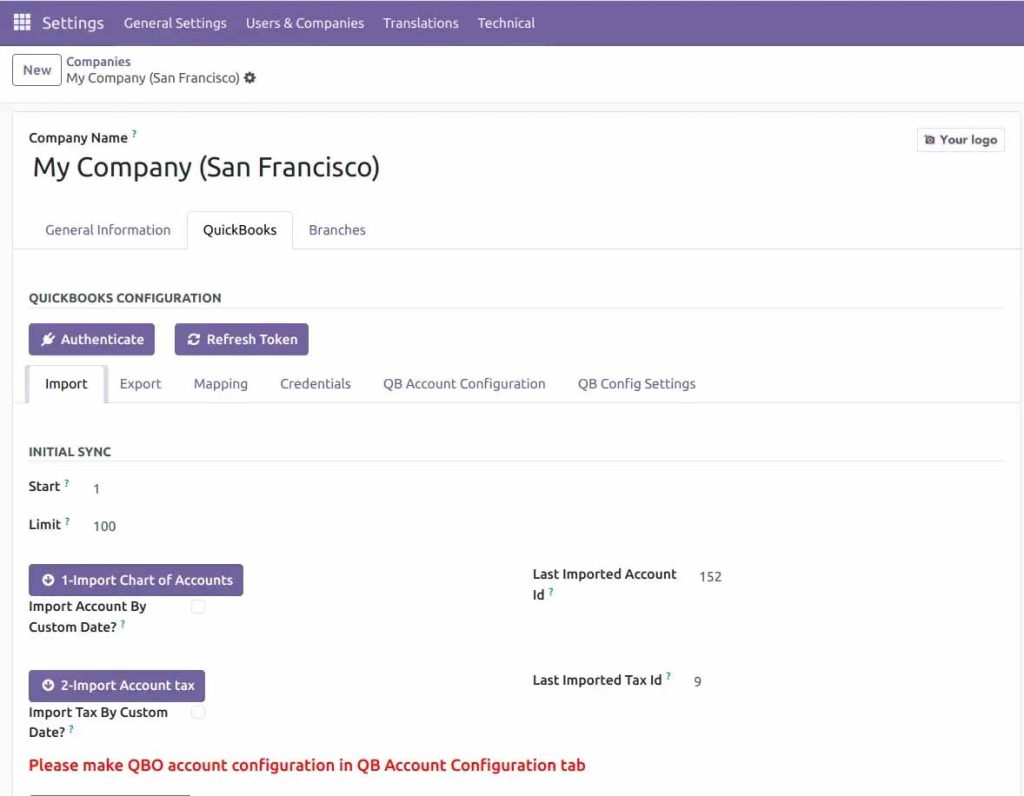
That makes the transition practical.
QuickBooks can remain the accounting system.
Odoo can handle the operational layer.
The connector keeps both sides aligned without forcing the team into repetitive manual work.
However it must be noted that the connector syncs transactional records; it does not guarantee identical financial reports across both systems because differences in mapping, timing, tax rules, journals and adjustments can still affect outcomes.
What this looks like in real U.S. business scenarios
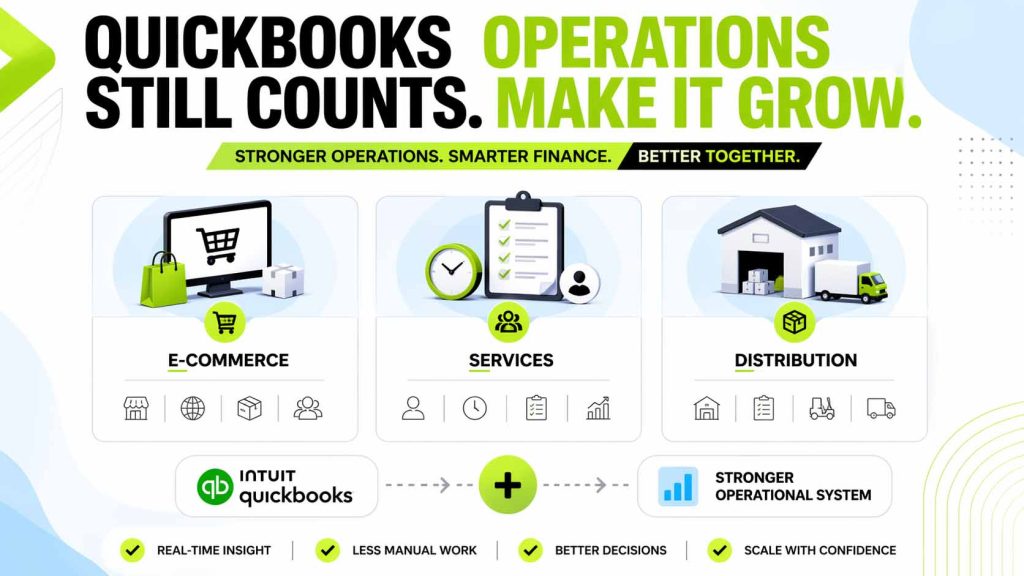
An eCommerce business may start with QuickBooks as the accounting source of truth while inventory and order activity grow outside it. That works for a while, but once order volume and channel complexity increase, manual reconciliation becomes harder to sustain.
A project-based services company may rely on QuickBooks for billing and bookkeeping, but still manage delivery, time tracking, and work progress in separate tools. Finance sees the final number, but not the live operational picture.
A distributor may use QuickBooks well in the early stage, but once warehouse activity, purchase timing, and fulfillment coordination become more complex, the accounting system is no longer enough by itself. In each case, QuickBooks still matters. It just needs support from a stronger operational system.
Important things to keep in mind before you integrate
The right next step is not just buying a connector. It is understanding where the friction is actually coming from.
If the pain is manual re-entry, delayed visibility, disconnected inventory, scattered customer records or slow invoicing, then ERP plus connector is a strong fit.
If the expectation is that two different systems will always produce identical reports without reconciliation, that expectation should be corrected before implementation starts.
The best integrations succeed when scope is clear and the business knows exactly which workflows should live where.
The problem is not QuickBooks. It’s the gap around it.
QuickBooks Online USA remains a strong accounting platform for many businesses. The issue is rarely the software itself. The issue is the growing gap between accounting and operations.
As that gap widens, businesses begin looking for ERP not because QuickBooks failed, but because the business outgrew patchwork processes. A connected model reduces friction, improves visibility, and helps the team spend more time running the business and less time stitching systems together.
That gap is where margin gets lost and decisions get delayed.
Take a closer look at what’s really driving your numbers.
𝗕𝗼𝗼𝗸 𝗮 𝗹𝗶𝘃𝗲 𝗱𝗲𝗺𝗼 ⬇️ or get in touch with our team on WhatsApp to know more : +91 97656 29686
FAQs
1. Is QuickBooks Online still a good fit for U.S. businesses?
Yes. It remains a strong choice for bookkeeping, accountant collaboration, and financial reporting, especially in the early and lower-complexity stages.
2. What usually pushes QuickBooks users to explore ERP?
It is usually not accounting weakness alone. The common triggers are manual work, disconnected systems, inventory complexity, project coordination, and the need for better real-time visibility.
3. Do most businesses replace QuickBooks immediately?
No. Many businesses keep QuickBooks for accounting continuity and connect it with a more operational system instead.
4. Where does a connector help the most?
It helps most when invoices, payments, customers, vendors, products, taxes, and other transaction-level records need to stay aligned across systems without repeated manual entry.
5. Will reports match exactly between QuickBooks and ERP after sync?
Not always. Transaction sync is realistic, but perfect report-level matching is not guaranteed because accounting logic, timing, mapping, and adjustments can differ.
6. What is the best first step?
Map the hidden manual work first. Once the friction points are clear, choosing the right ERP structure and connector becomes much easier.