



The current accounting infrastructure
QuickBooks Online is a very popular cloud-based accounting software system for small startups as well as multinational companies. People use this because of its intuitive design, easier to use, and better to manage. No doubt QuickBooks online is a good accounting software, but in today’s competitive world, an Accounting software alone does not meet the complex and demanding requirements of business. Hence such systems need to be integrated with a reliable and high performance ERP system such as Odoo to effectively solve business problems.
The problem
We were working with an enterprise grade customer who was already using QuickBooks Online. They were satisfied with it for all their accounting needs. But they wanted to have a more feature- rich, robust, and powerful enterprise system which included a comprehensive yet specific suite of features. These included Inventory and Warehouse Management, CRM, HRM, Helpdesk, Project Management, and other custom tools required to run their business.
The solution
At Pragmatic, we worked with the client to enable a seamless, power-packed, and highly customized integration of QuickBooks Online with Odoo. It allows extending QBO functionality to have other very useful enterprise apps such as CRM, HRM, Helpdesk, Purchase, Project Management, POS, eCommerce and many others.
QuickBooks Online – Odoo Connector App Features
This connector will help user to import export following objects.
Import / Export Master Data Customers, Suppliers, Accounts, Tax, Products, Payments
With this integration, all accounting information from various technology applications like Inventory and Warehouse Management, CRM, HRM, Helpdesk, Project Management could be easily transitioned back and forth within QBO.
This delivered the following high value outcomes
- It reduced dependency on manual entry of data
- Saved time for duplicate record keeping from external systems to QBO
- Substantially bought down human errors
- Quicker insight generation on organization-wide finances possible as compared to siloed approach of the external systems
The following modules and connections were deployed through the QBO Odoo connector app –
- ImportQuickBooks Online (QBO) customers into Odoo
- Import supplier to Odoo
- Import accounts listing into Odoo
- Export accounts into QBO
- Import account tax to Odoo
- Export account tax to QBO
- Export tax agency to QBO
- Import product category to Odoo
- Import product to Odoo
- Import payment method to Odoo
- Import payment terms into Odoo
- Export customer invoice to QBO
- Export supplier bill to QBO
- Import QBO supplier bill to Odoo
- Import customer payment to Odoo

Accounts synchronization
This connector will help user to sync accounts with Odoo. The app offers two way synchronization i.e. From Odoo to QuickBooks Online well as the other way round.

Import / Export Taxes
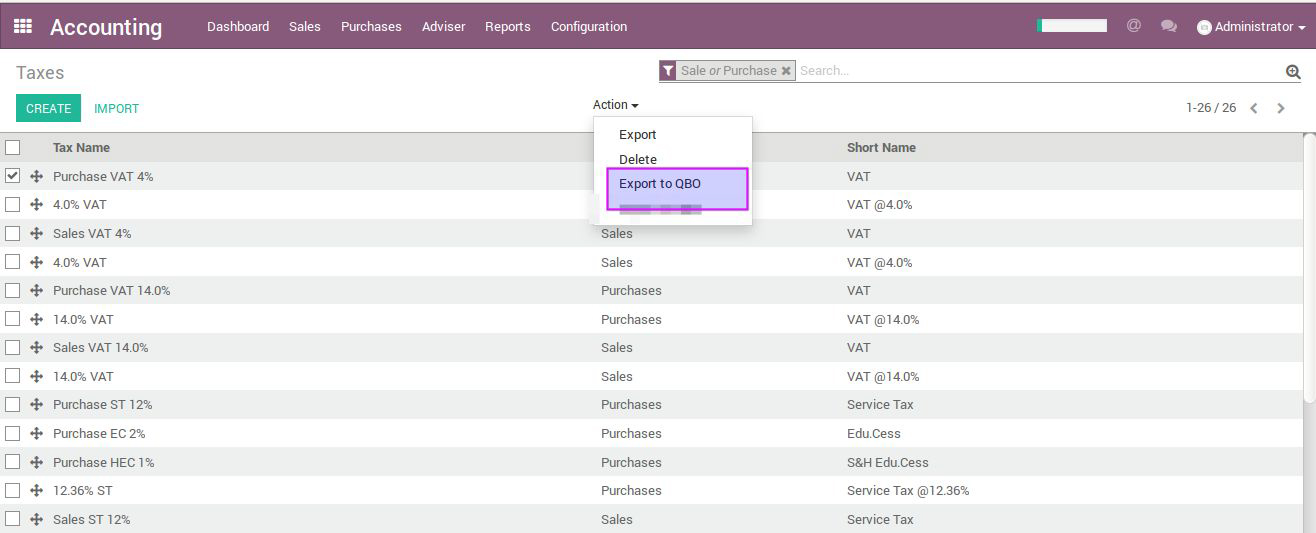
User can sync taxes to from both ends i.e. from Odoo and from QuickBooks Online

Taxes can be exported to QuickBooks Online as well :
Import Payments from QBO and Export invoices from Odoo
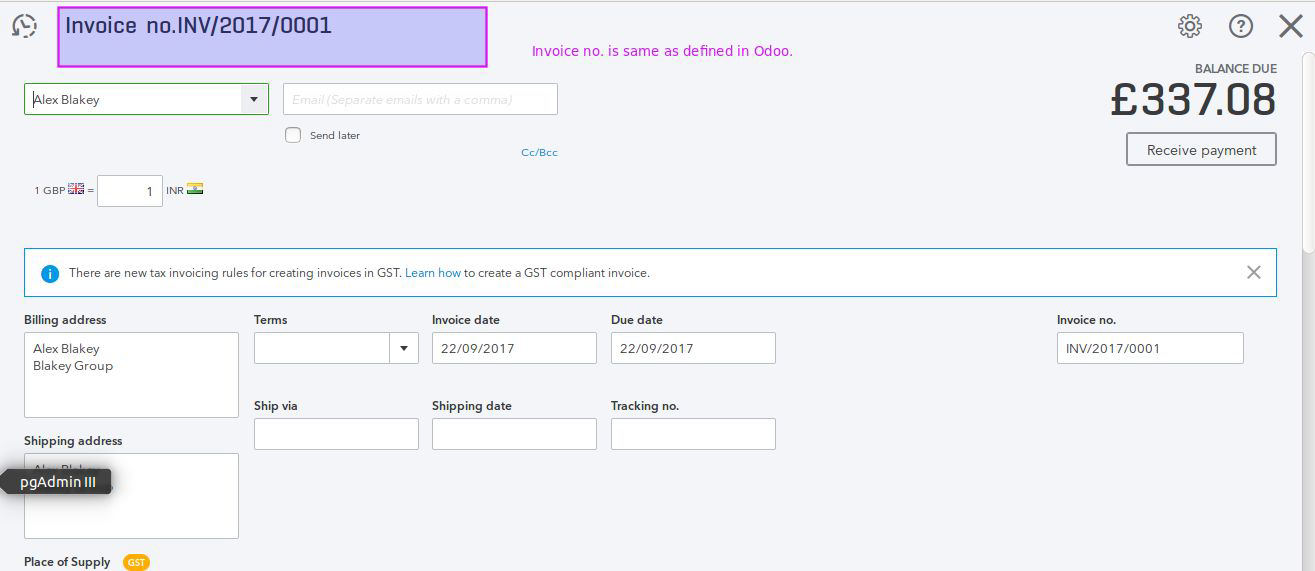
This App will allow user to export Customer invoices and Vendor Bills.

Invoices exported to QuickBooks Online will carry same invoice number as we have in Odoo

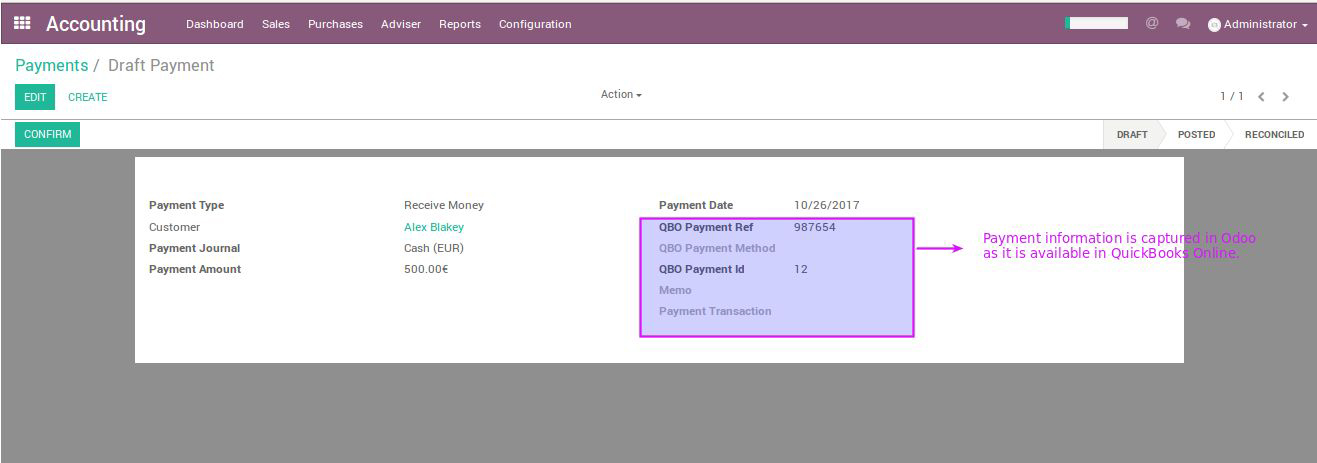
Import of payments from QuickBooks Online to Odoo is possible though a button click and payment will be available to be reconciled with respective invoices in Odoo.
Inventory Synchronization
Inventory levels can be synchronized from QuickBooks Online to Odoo. Based on the change in real quantity count against theoretical one, Odoo will create stock moves for inventory adjustments
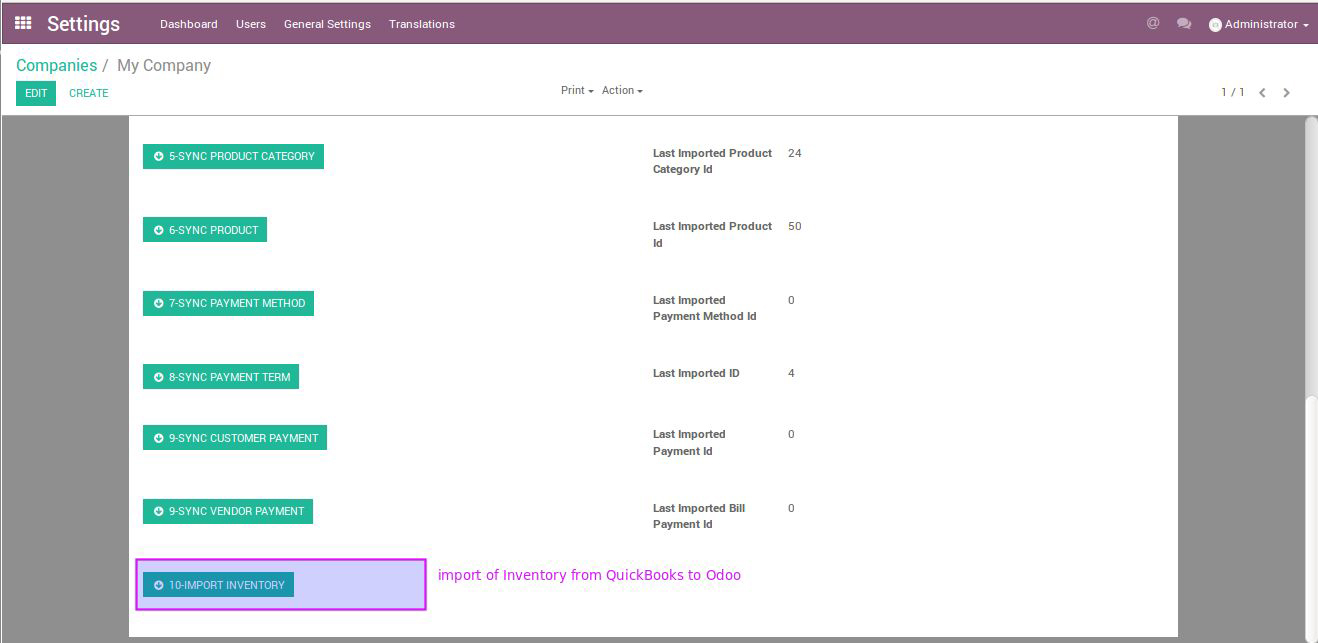
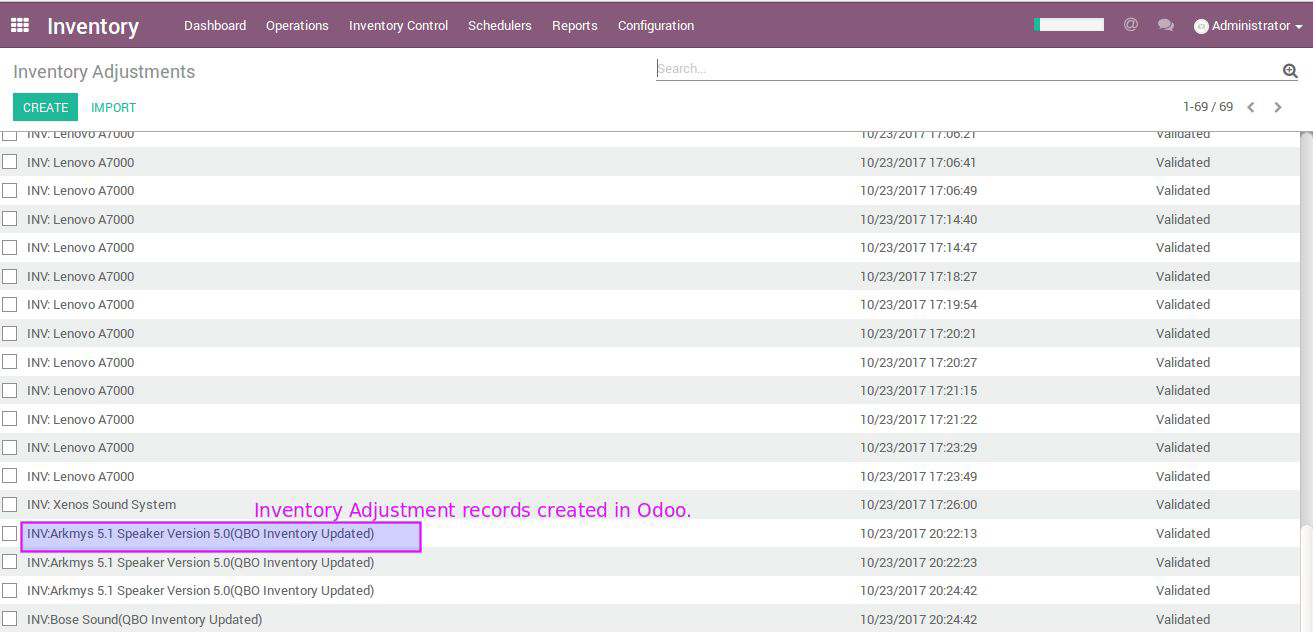
If you wish to control your business activities through Odoo as a main system then this app offers you the flexibility to update inventory levels from Odoo to QuickBooks Online. Also you can synchronize inventory from QuickBooks Online to Odoo.
Really nice blog with such a great thing, to be shared. I thank you very much for sharing such a great thought to us.
Thank you for your comment! We are glad you liked the content.
Please like, share, and subscribe to Pragmatic Techsoft for more.
Wowwwww!!!! Nice Post!! Thank you for sharing such a nice information
http://www.key-matrix.com/
Thank you for your comment! We are glad you liked the content.
Please like, share, and subscribe to Pragmatic Techsoft for more.